Connect Claude or ChatGPT to Eave
You can connect an AI assistant you already use, like Claude or ChatGPT, to your Eave account. Then you can ask it things like:
- "What's on my schedule this week?"
- "Which reports are still waiting on clients?"
- "Summarize the findings from the Maple St inspection."
- "Did I inspect 12 Oak Lane before? What did I find?"
And, if you give it permission:
- "Add a Pool & Spa section to my standard template, with the usual findings."
- "Here are my notes from the roof. Fill in the Roof section of the Maple St inspection."
- "Make the gutter finding a safety issue and add a recommendation."
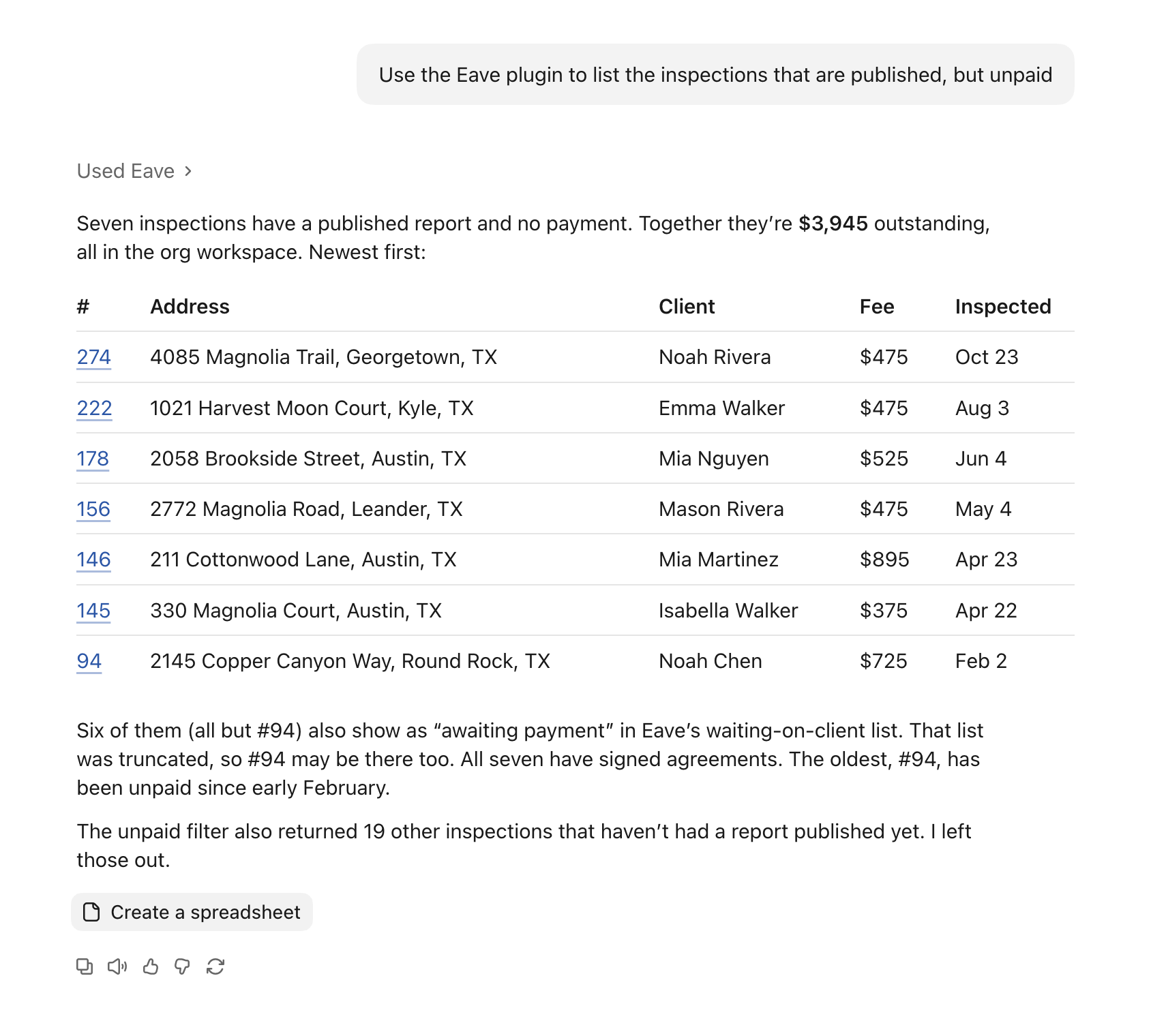
Your assistant can always read your inspections. Changing anything is up to you: when you connect, you choose whether it may also edit your templates and work on your inspections. It can never publish a report, email your clients, charge anyone or delete an inspection. Your phone stays the only thing that rings at 7am.
Before you start
You'll need:
- An Eave account on a plan that includes AI assistant access.
- An AI app that supports custom connectors (sometimes called MCP connectors). Claude and ChatGPT both have them; which of their plans include them is up to them, so check their help if you don't see the option.
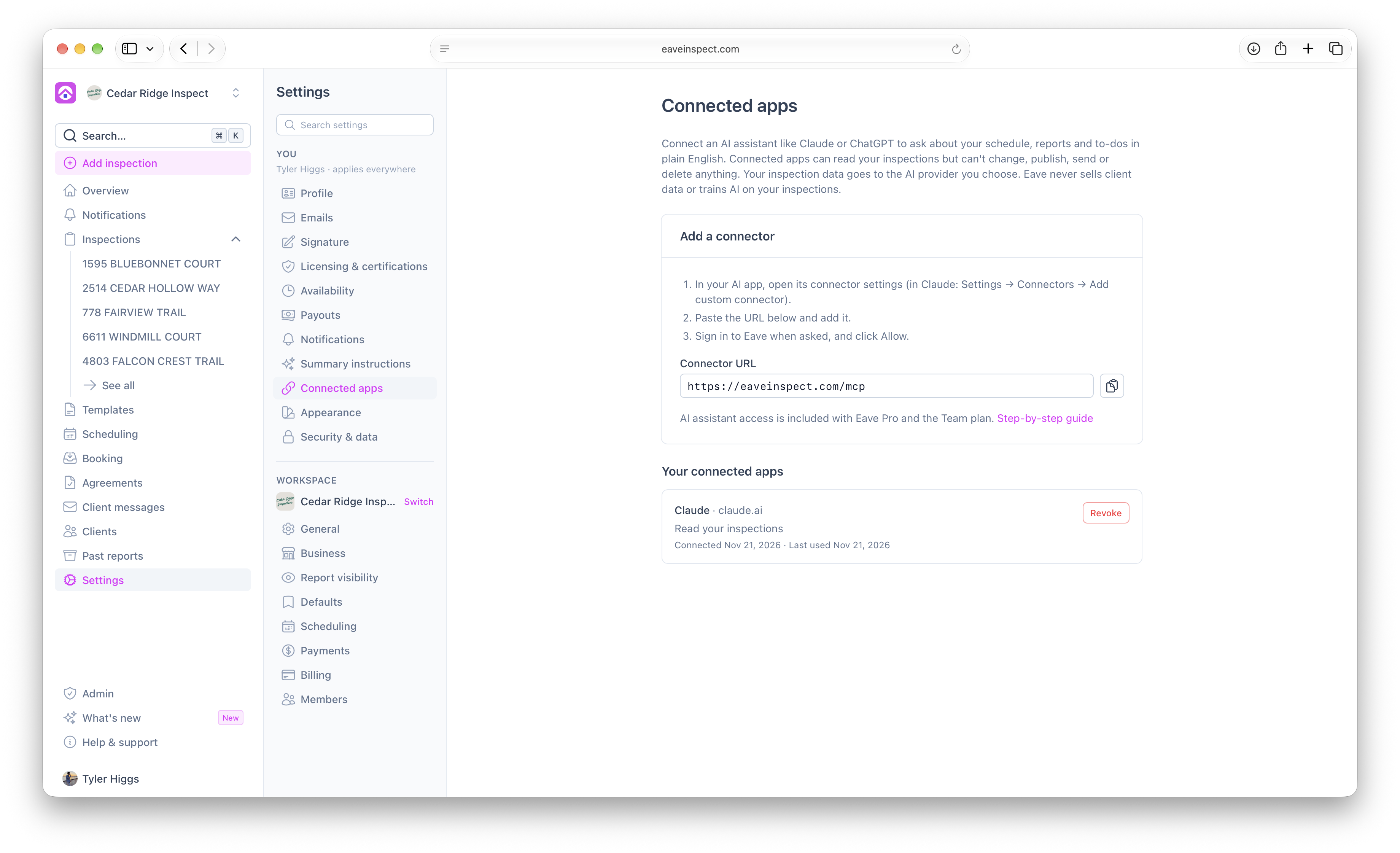
- Your connector URL. Find it under Settings → You → Connected apps, with a copy button. It's
https://eaveinspect.com/mcp.
Connect Claude
- In Claude, open Settings → Connectors.
- Click Add custom connector.
- Give it a name (for example, "Eave") and paste your connector URL.
- Click Add, then Connect.
- Sign in to Eave if asked. Check that the page names the app you're connecting, tick anything you want it to be able to change (see below), then click Allow.
You'll land back in Claude, connected.
Connect ChatGPT
- In ChatGPT, open Settings → Connectors. You may need to turn on developer mode under Advanced.
- Create a new connector and paste your connector URL. Choose OAuth for authentication.
- Sign in to Eave if asked, check the app name, choose what it may change, and click Allow.
Other AI apps
Any app that supports MCP connectors with OAuth works the same way: give it your connector URL, sign in to Eave, and click Allow.
What your assistant can do
Every connection can read. The other two are off unless you tick them:
| Permission | What it lets your assistant do |
|---|---|
| Read (always on) | See your inspections, report content and findings, templates, calendar, Needs your attention and Waiting on client lists, and past reports |
| Edit your templates | Create templates (empty or copied from one of yours or a sample) and add, change, move or remove sections, questions, findings and comment library entries |
| Work on your inspections | Start draft inspections, fill in answers, add, edit or hide findings, write the summary and final comments, and fix the property address, clients and buyer's agent |
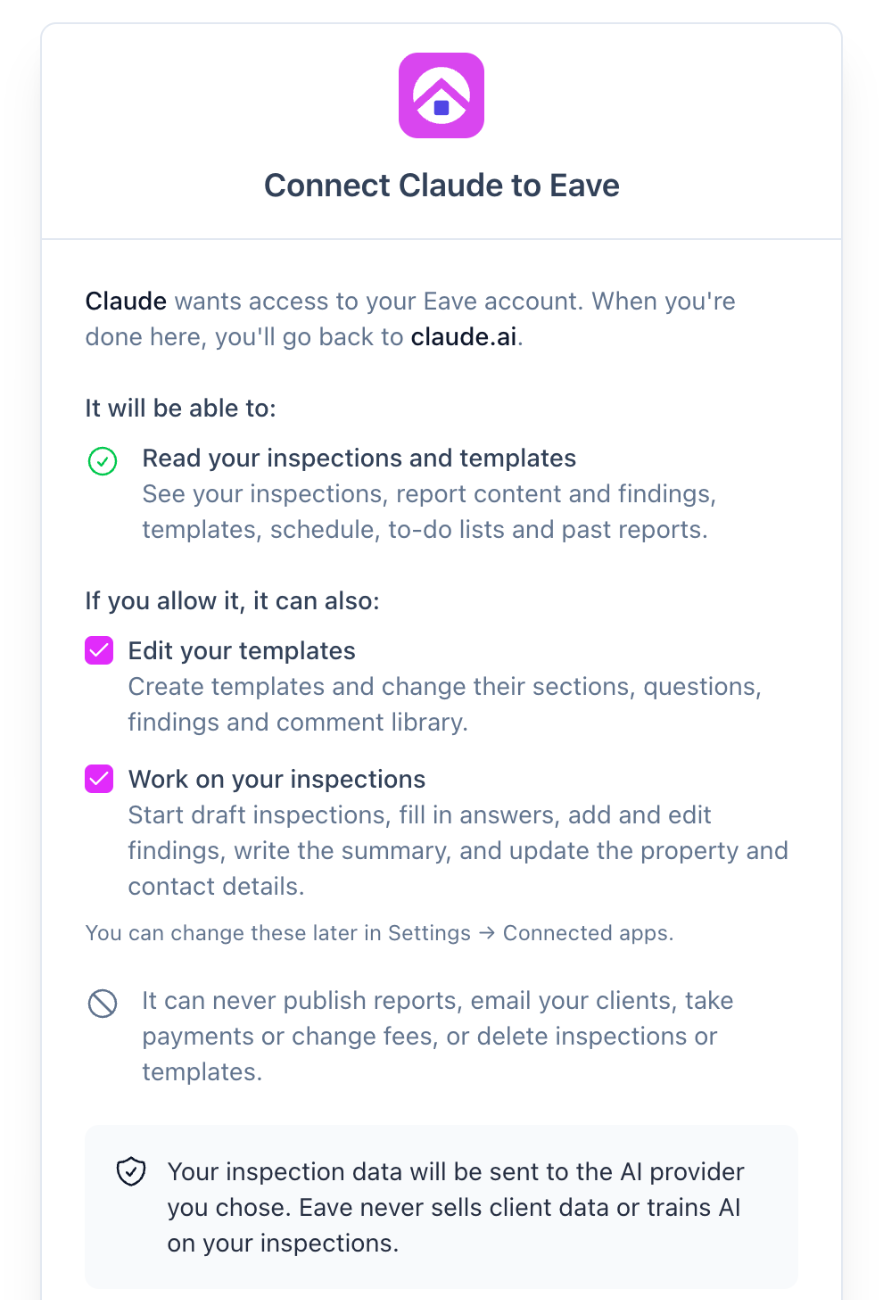
Whatever you allow, a connected assistant can't:
- Publish or unpublish a report
- Email or message your clients
- Change the scheduled time, fees or payments
- Delete an inspection or a template
- Change your settings, team, roles or agreements
Template changes only affect inspections you start afterwards; existing inspections keep the version they began with. A report that's published and locked stays locked.
If you're in an organization, your assistant sees the same inspections you do in Eave: your Personal workspace and your organization's. You can ask about just one, for example, "only my organization's inspections". It can only change what your role allows. Office staff, for example, can fix an address but can't write findings. When it creates something, it puts it in your default workspace if you've set one, and tells you where it landed. If you haven't, it will ask which workspace it goes in.
Change what it can do
Go to Settings → You → Connected apps. Each app has a switch for Edit your templates and Work on your inspections. Changes apply to the app's very next request. Your assistant may need a new chat to notice new abilities.
Under each app, Recent changes lists what it changed and when, with a link to each one.
Your data
When you ask your assistant about an inspection, Eave sends that inspection's data to the AI provider you chose (Anthropic for Claude, OpenAI for ChatGPT). Their privacy terms apply to what they receive. Eave never sells client data or uses your inspections to train AI.
Disconnect an app
Go to Settings → You → Connected apps and click Revoke next to the app. It loses access immediately. You can connect it again any time.
Troubleshooting
- "Part of Eave Pro" or "needs the Team plan." The workspace you asked about isn't covered by a plan. Subscribe under Settings → Workspace → Billing, then ask again.
- The app asks you to reconnect. Connections renew themselves, but one that hasn't been used for 30 days needs a fresh sign-in. Revoking it in Eave has the same effect.
- The consent page names an app you don't recognize. Click Deny. Only approve connections you started yourself.
- Your assistant says it can't change something. Check its switches under Connected apps, then start a new chat. If the report is published and locked, or your organization role doesn't allow the change, it can't make it in Eave either.
- The template editor says the template was changed somewhere else. Your assistant and you both changed the same subsection or setting while the editor was open. Choose whose version to keep; everything else is already merged. See Editing in more than one place.