Put your request form on your website
Your public request link doesn't have to live on its own page. You can drop the whole form straight onto your own website, in your colors, so a visitor can describe the property and pick a time without leaving your site.
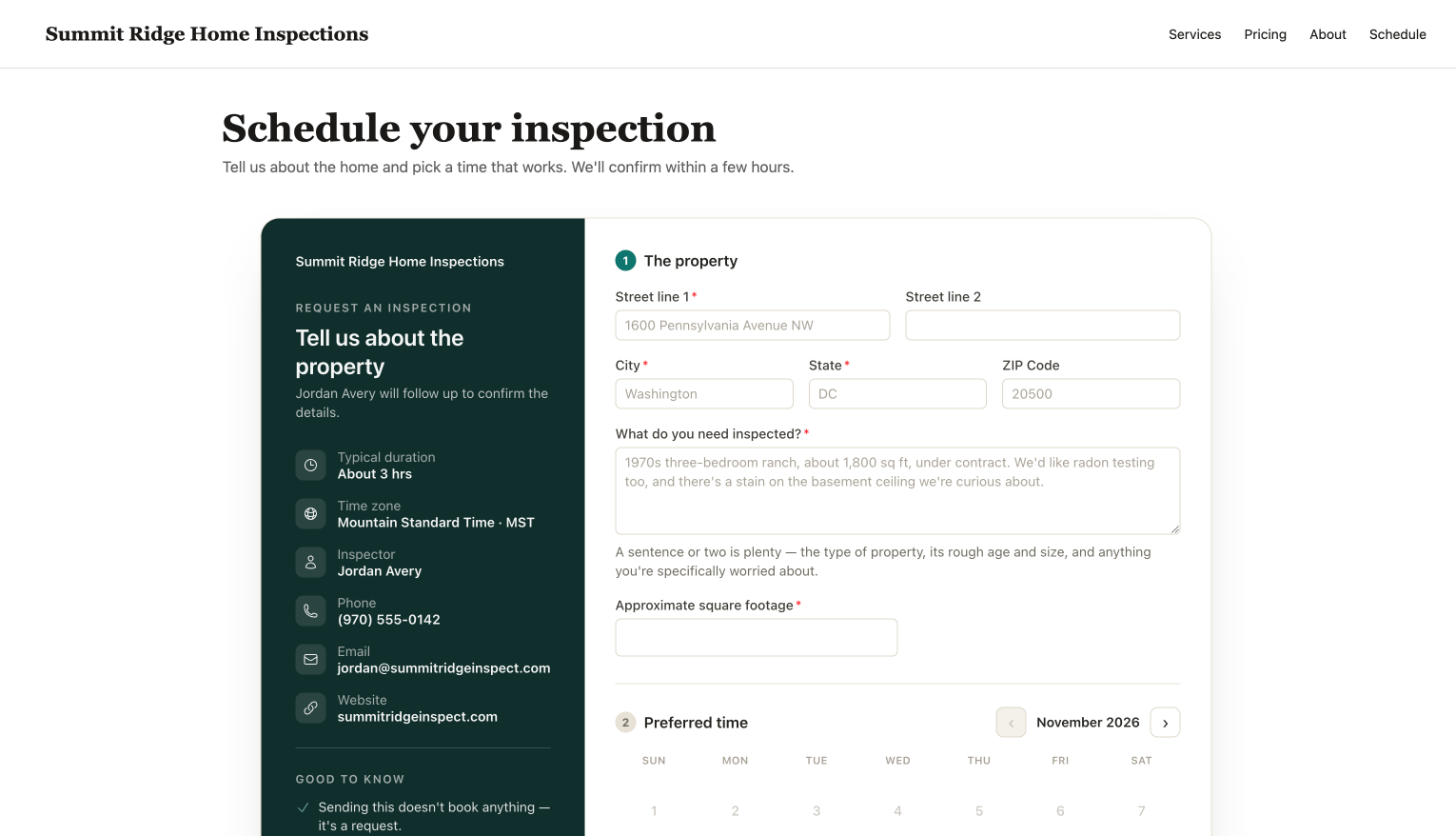
Requests sent from your website work exactly like requests from the link: each one arrives as a draft inspection, waiting for you to confirm.
Open Appearance & website
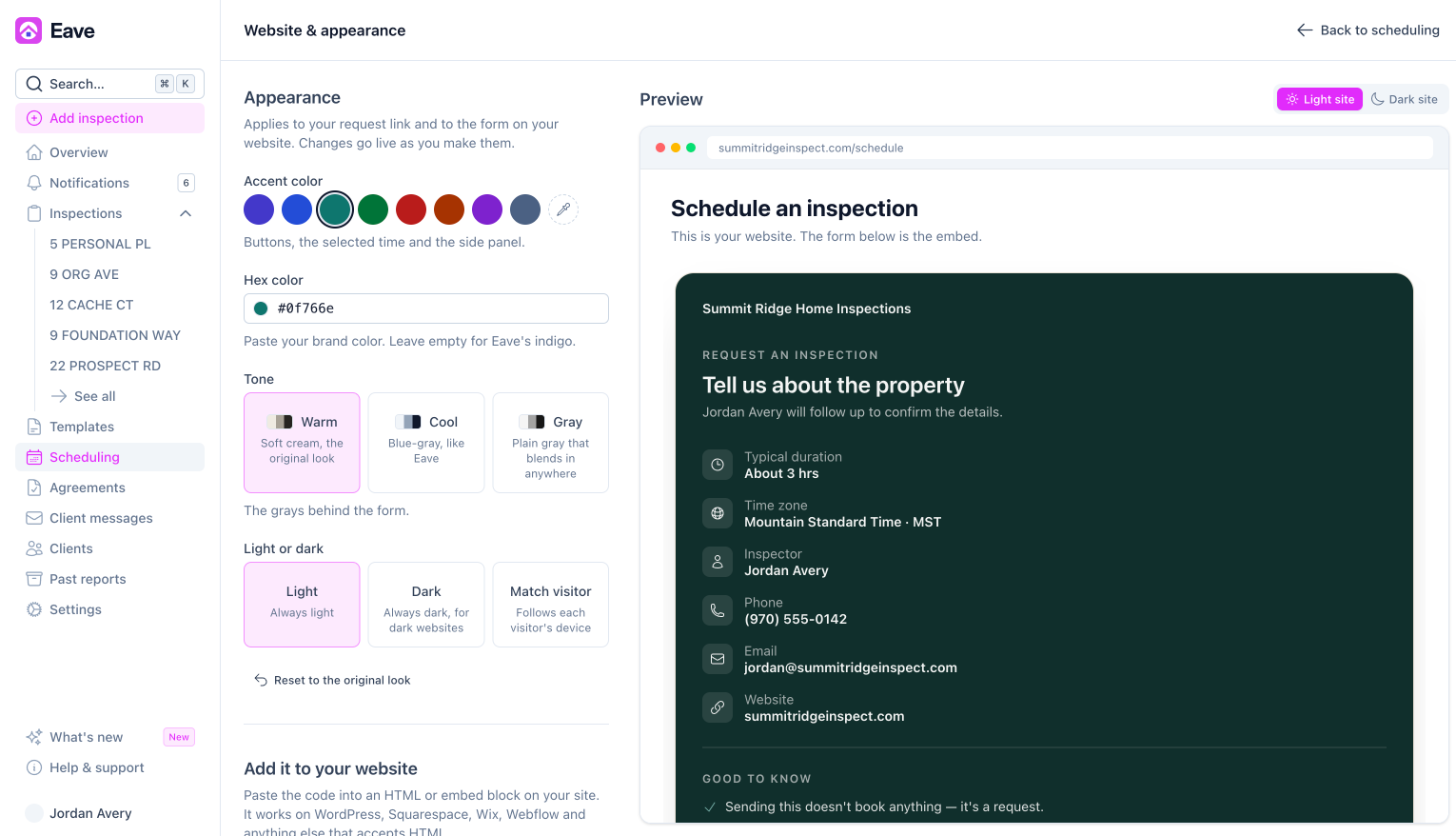
Click Booking in the sidebar, find the Public request link card, and click Customize on the Appearance & website row. The page has your appearance settings and the code on the left, and a live preview on the right.
Match your brand
The settings apply to your request link and to the form on your website, so you only set them once. Changes save as you make them, and the preview updates as you click.
- Accent color colors the buttons, the selected day and time, and the side panel. Pick a swatch, use the eyedropper to choose any color, or paste your brand's hex code (like
#1e3a8a). Eave builds a full range of shades from it, so text on your buttons stays readable whatever color you choose. - Tone sets the grays around the form. Warm is the soft cream the form has always used, Cool is a blue-gray like the Eave app, and Gray is a plain neutral gray that suits most websites.
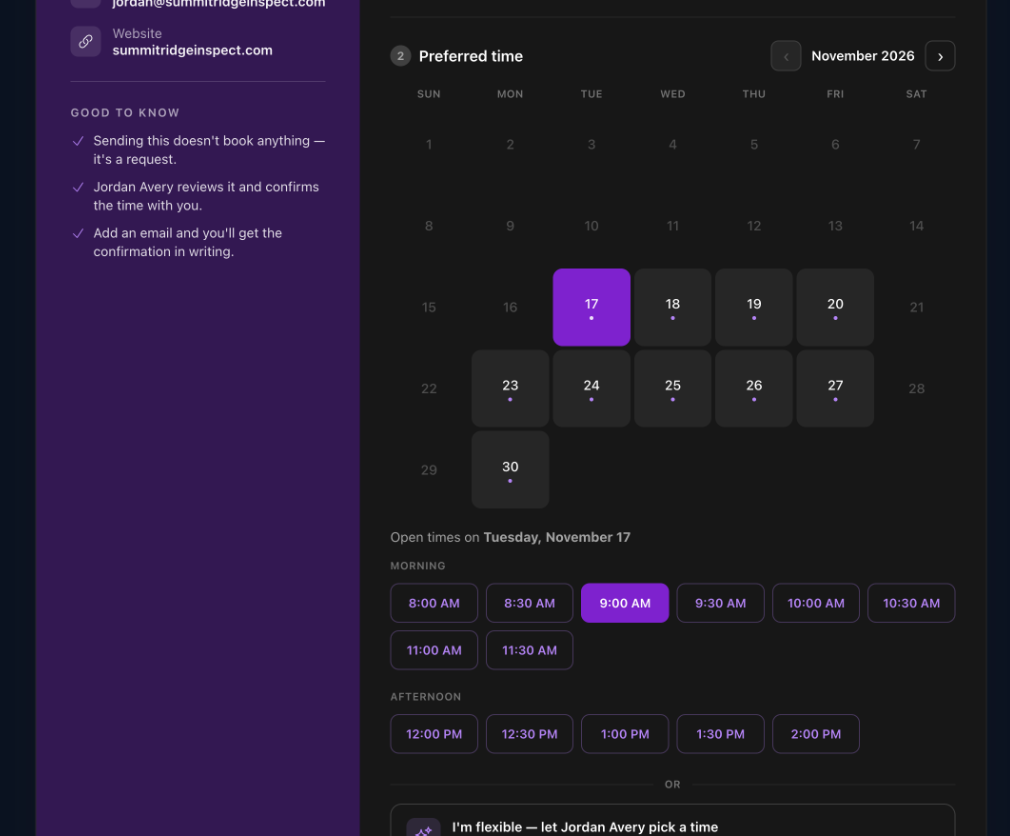
- Light or dark decides the form's mode. Light and Dark stay that way for everyone. Match visitor follows each visitor's device, so someone browsing in dark mode gets a dark form.
Use Light site and Dark site above the preview to see how the form sits on a light or a dark page. The space around the form is see-through, so your website's own background shows behind it.
Reset to the original look puts all three back to the defaults.
Choose what visitors see
Under What visitors see, switch each of these on or off: your name, logo, phone, email and website. Your business name always shows.
- Each row shows the value visitors get today, with a link to where it's edited. For example, Change public email opens your email settings, where you pick which address clients see.
- Hiding your name makes the form speak for your business ("Acme Home Inspections will follow up") and drops the Inspector line. It needs a business name to fall back on, so add one first if the switch is greyed out.
- A hidden detail is left out of the page entirely, not just covered up.
- These switches only affect your booking page. What shows on your reports is set separately under Settings → Workspace → Report visibility.
Add the code to your website
Under Add it to your website, choose one of two options and click Copy:
- Embedded form is the whole form, right on your page. It includes a few lines of script that resize the form to fit its content, so visitors never scroll inside a box.
- Button is a single "Request an inspection" button in your accent color. It opens your request page in a new tab. Use it where a full form won't fit, or if your website builder doesn't allow embedded forms.
Then paste the code into your website wherever HTML is allowed:
- WordPress: add a Custom HTML block.
- Squarespace: add a Code block.
- Wix: add Embed Code → Embed HTML. Wix places your code inside a box of its own, so drag that box tall enough to fit the form.
- Webflow: add an Embed element.
- Anything else: look for "HTML", "code", or "embed" in the editor.
<script> part, the form still works. It just stays at its starting height of 1000 pixels and scrolls inside the frame. To give it more room, change height: 1000px in the code to a bigger number.Changing things later
You never need to paste the code again after changing your colors, questions or hours. Your website loads the form from Eave each time, so it always shows your current settings.
The one exception is Generate a new link on the Booking page. That replaces your link, so the old code stops working. Copy the new code and paste it over the old one.
That's it. Your website now takes requests while you're up in someone's attic.