Require payment to view report
Keep published reports locked behind payment, with safeguards so a client is never trapped.
You can require clients to pay before they can view the published report. It's an opt-in setting (off by default) under Settings → Account → Payments → Require payment to view report, and it needs a ready Stripe account.
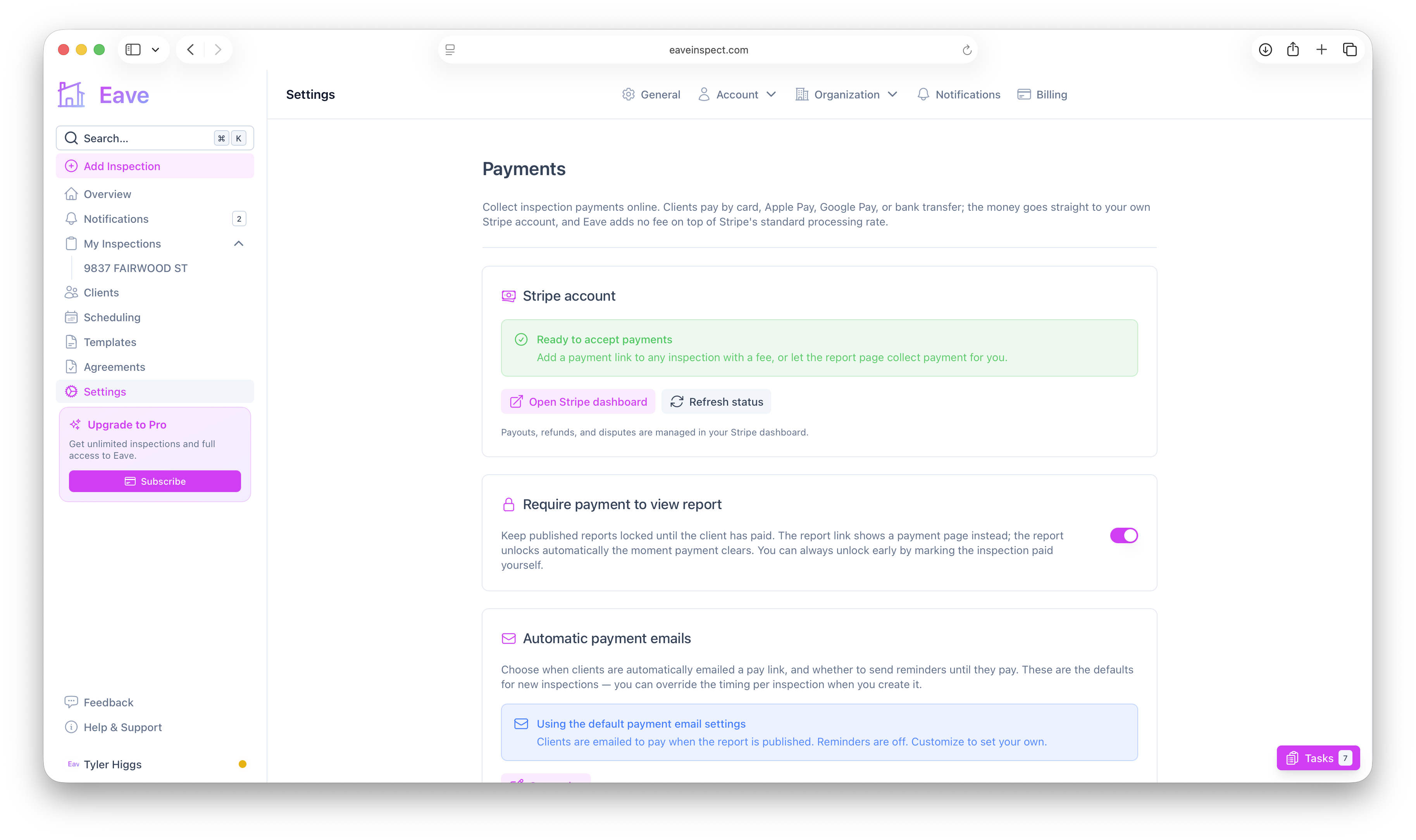
How the gate works
While the requirement is on and an inspection has an unpaid fee:
- The public report link shows a pay page instead of the report, and the report PDF is unavailable.
- The moment payment clears, the report unlocks automatically — no action needed from you.
- You can always unlock early by marking the inspection paid yourself (for example, if the client paid by cash or check). See Collecting payment on an inspection.
Agreement first, then payment
If the inspection also has an unsigned pre-inspection agreement, the client signs that first, then continues straight to payment, then reaches the report. It's one smooth path: sign → pay → report.
It always fails safe
The gate is deliberately cautious — a report is never locked when there'd be no way to pay:
- Zero fee → not locked.
- Already paid (online or manually) → open.
- Bank transfer processing → the client sees "your payment is processing" and is never asked to pay twice; it unlocks when the transfer clears.
- Your Stripe account can't take payments right now (e.g. it slipped into review or was restricted) → the requirement is automatically paused and reports stay viewable, so no client is ever trapped.
Because of that last point, you can turn the requirement off at any time — even while your Stripe account is under review. You just can't turn it on until your account is Ready. When it's paused, the settings page tells you so.
There's always a manual escape hatch: the report-view link you share directly from an inspection bypasses the payment gate, so you can send a report to whomever you choose regardless of payment status.
Related
- Automatic payment emails & reminders — prompt clients to pay even with the gate off.
- What clients see when they pay — the pay page the gate shows.