Subscriptions & billing
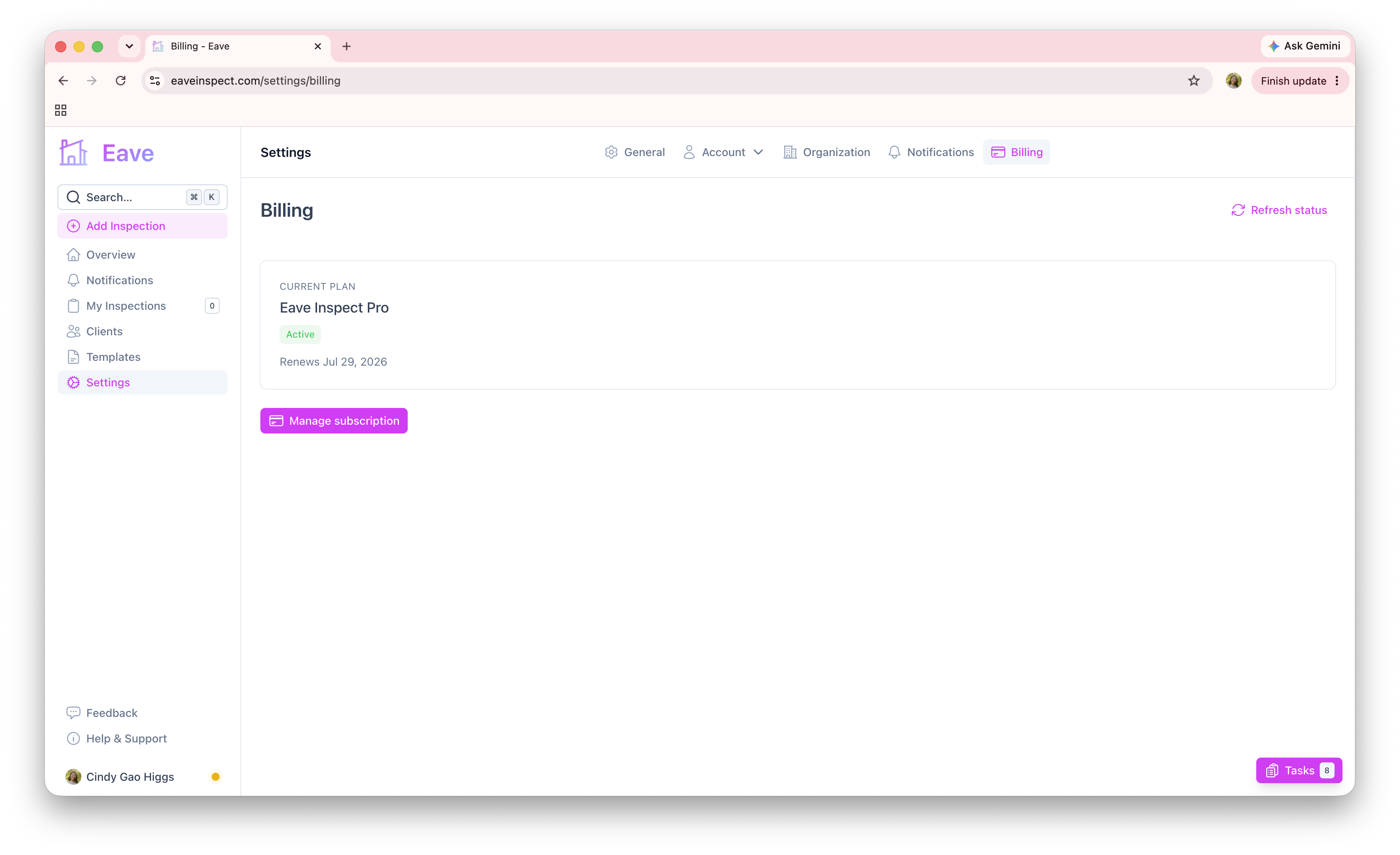
Eave is free to try and unlocks fully with Eave Inspect Pro. Manage your plan under Settings → Billing.
The free trial
Every account can create up to 5 inspections for free — no time limit and no credit card required. You can explore the app, build custom templates, and set up your profile and organization without subscribing.
What Eave Inspect Pro includes
- Unlimited inspection reports
- Photo/Video attachments on photo fields
- Publishing reports directly to clients' email
- Client report signatures
- Custom inspection templates
- Re-publishing reports with updates
Most of the app stays usable on the free tier — you can view and edit your existing inspections, manage settings, create an organization, and build templates. The subscription gate applies to creating new inspections beyond the free limit and to the Pro features above.
Subscribe
From Settings → Billing (or the Pricing page), click Subscribe. You'll be taken to Stripe's secure checkout to enter payment. When you return, your status updates automatically and you're ready to go.
Subscribing from the iOS app
You can also subscribe inside the Eave iOS app — open the account menu and tap Subscription. That purchase goes through your Apple Account, and the price shown there is set by Apple's pricing tiers, so it may differ slightly from the web price.
Manage or cancel
Once subscribed, the Billing page shows your plan status and renewal date.
- Subscribed on the web? Click Manage subscription to open the Stripe customer portal, where you can update your payment method, view invoices, or cancel.
- Subscribed in the iOS app? Your plan is billed by Apple, so it's managed there — the Billing page shows a via Apple badge and links you to your Apple subscriptions. On your device you can also go to Settings → your name → Subscriptions. Cancelling anywhere else isn't possible for an Apple plan.
Either way, if you cancel you keep access until the end of your current billing period, then return to the free tier.
If your status looks wrong
If you just paid and the app still shows you as unsubscribed, use Refresh status on the Billing or Pricing page to re-sync with Stripe. It can take a moment for payment confirmations to come through.