Set a default inspection fee
Save a default fee once and every new inspection starts with it filled in — no retyping. You'll find it under Settings → Account → Defaults.
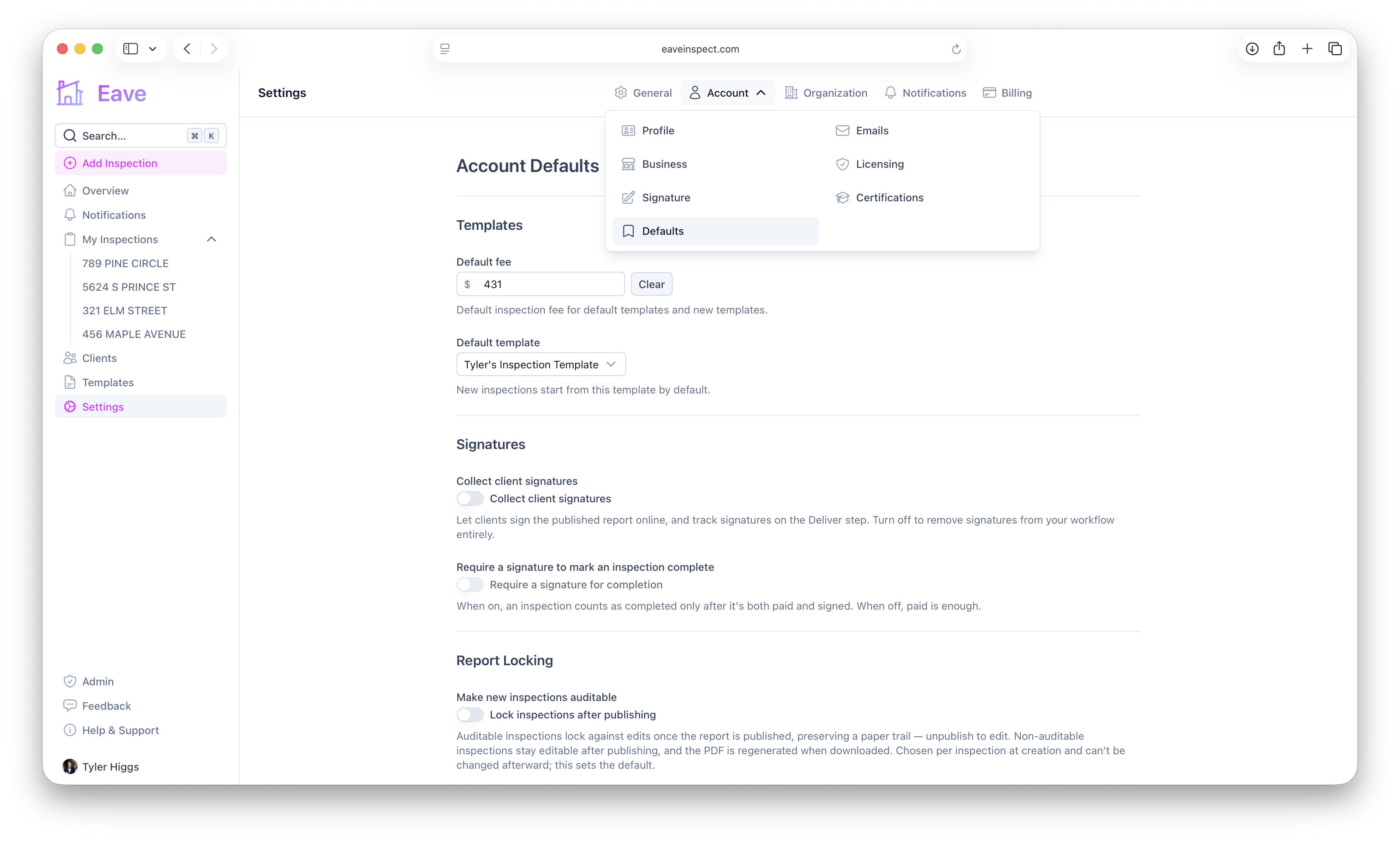
Set your default fee
In Default fee, enter the amount you usually charge. It's used for the built-in default template and any new templates you create. Leave it blank (or use Clear) if you'd rather enter a fee each time. Changes save automatically.
Set your default template
In Default template, choose the template new inspections should start from — either a sample template or one of your custom templates. See Using templates.
How defaults apply
When you add an inspection, the fee field pre-fills from your default. If you select a single template that has its own default fee, that template's fee is used instead. You can always override the fee for any individual inspection.
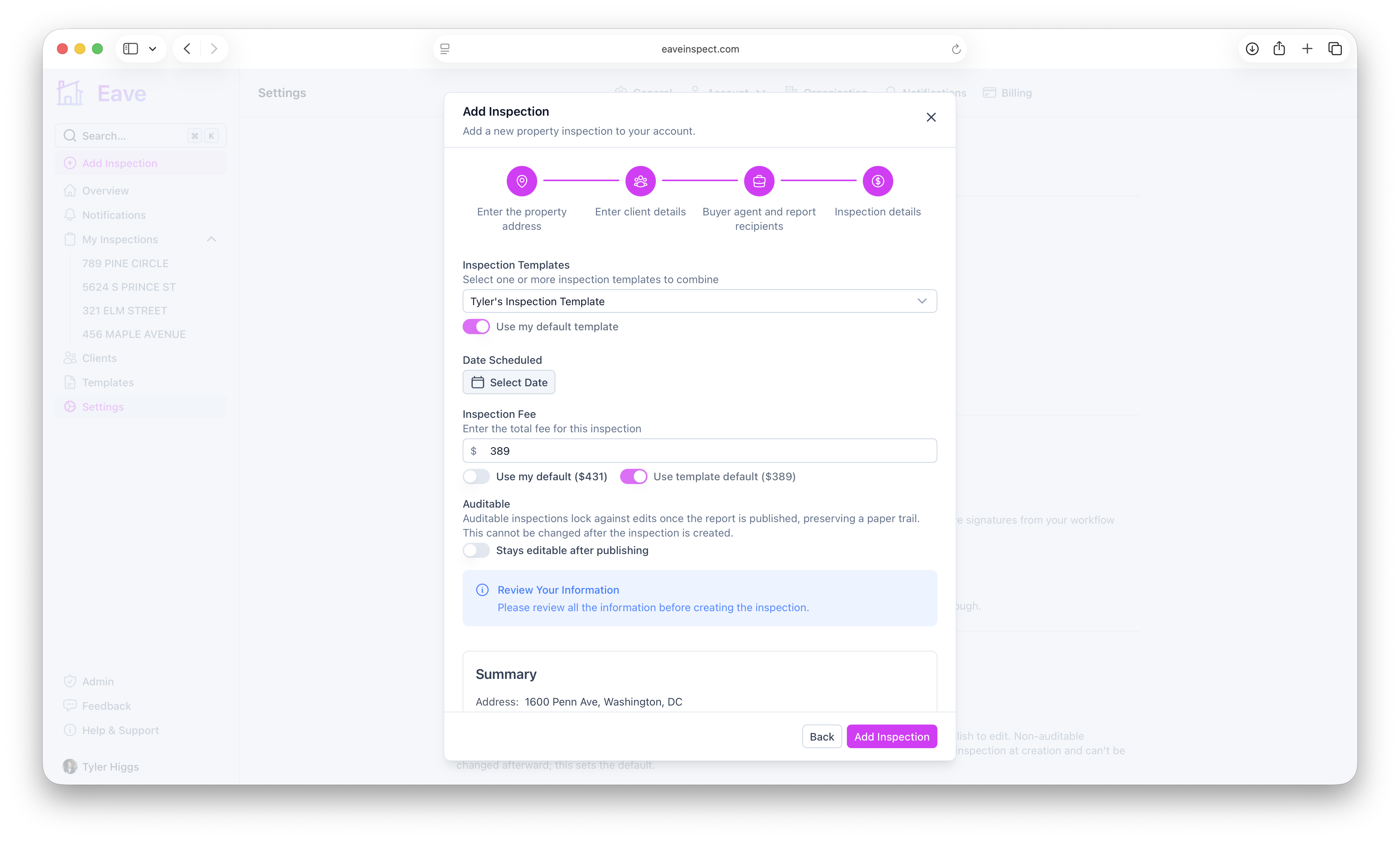
Organization defaults
If you're part of an organization, an org-level default fee and template can be set so the whole team starts from the same place. See Sharing templates & reports.