The client signing experience
Once an agreement is attached, every client with an email address gets a signing link automatically — by default once the inspection has a scheduled date — and the published report stays locked for them until it's signed. Here's exactly what they see.
The signing email
Clients receive an email titled "Please Sign Your Inspection Agreement" with a Review & Sign Agreement button. It comes from your name, and explains that the report will be available once the agreement is signed.
Reviewing and signing
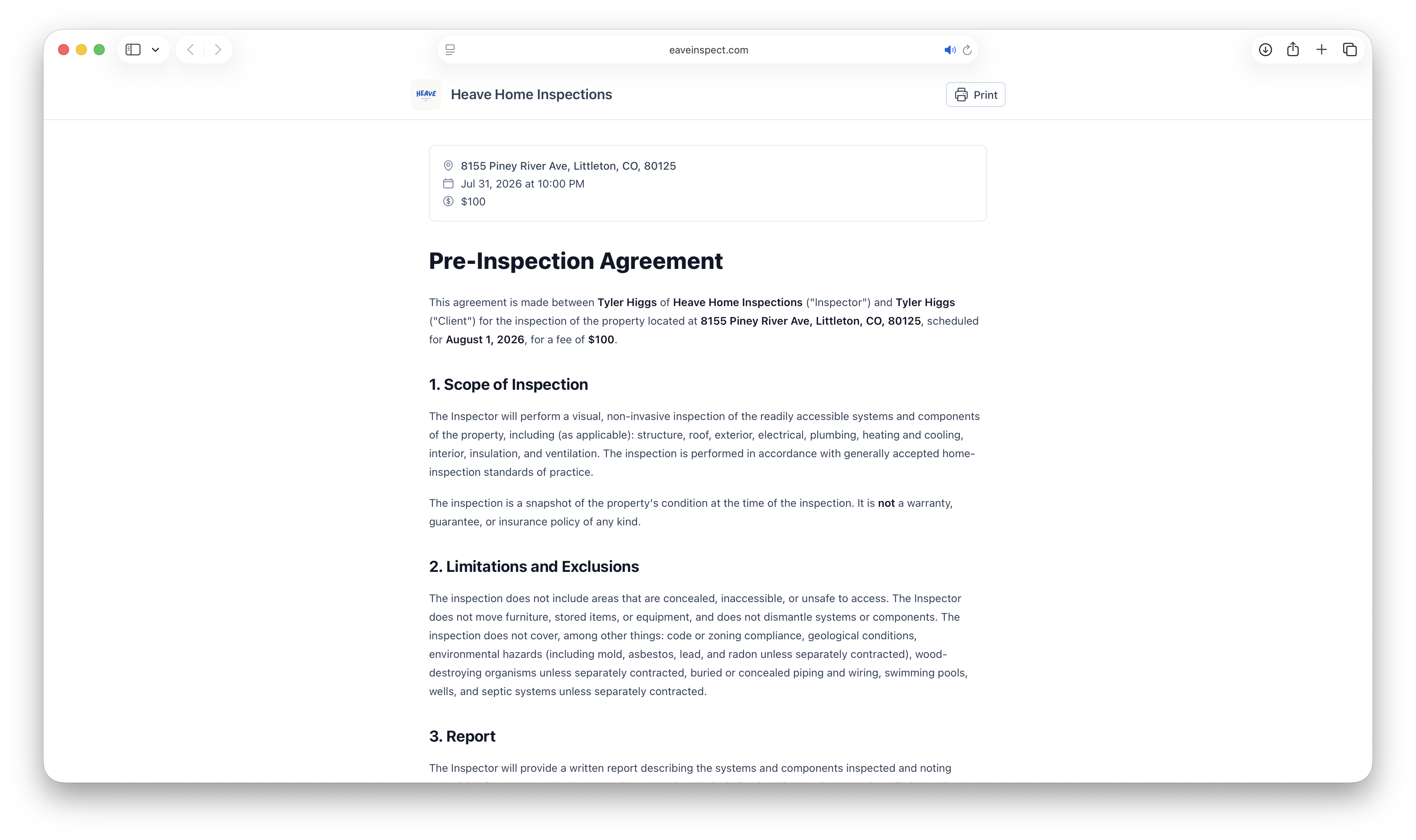
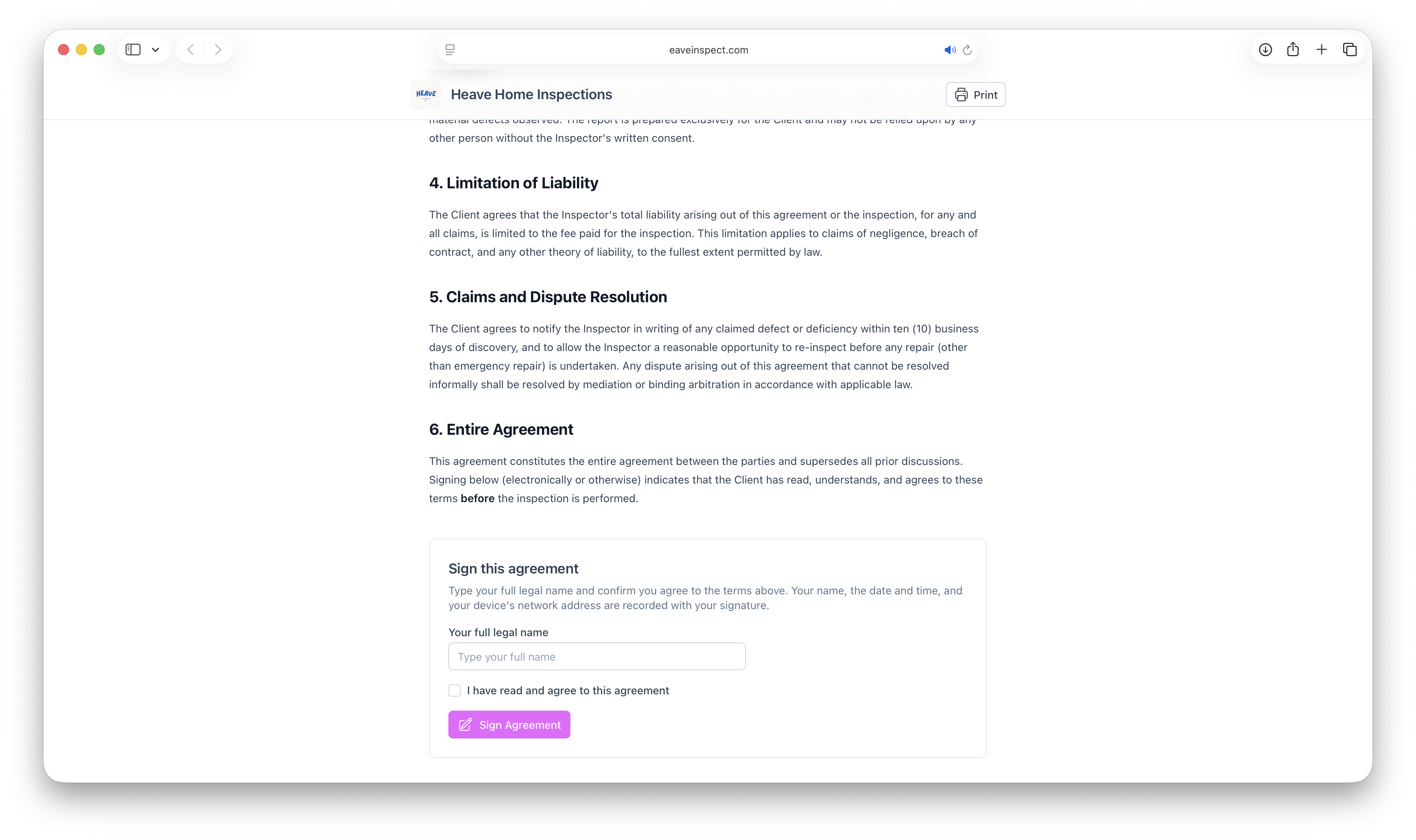
The link opens a page with your branding, a summary of the inspection (property address, scheduled date, fee), and the full agreement with all merge fields filled in. To sign, the client:
- Types their full legal name.
- Checks "I have read and agree to this agreement".
- Clicks Sign Agreement.
The name, the date and time, and the client's network address are recorded with the signature, and the agreement text is frozen exactly as signed.
What happens after signing
The client sees an "Agreement signed" confirmation and a button to continue — either straight to the report, or to the payment step first if you collect the fee through Eave. Revisiting the link later shows a "Signed by …" block instead of the form, and a Print button for their records.
Behind the scenes: the signer gets a confirmation email, you get an in-app notification and email, and the report unlocks immediately.
The locked report screen
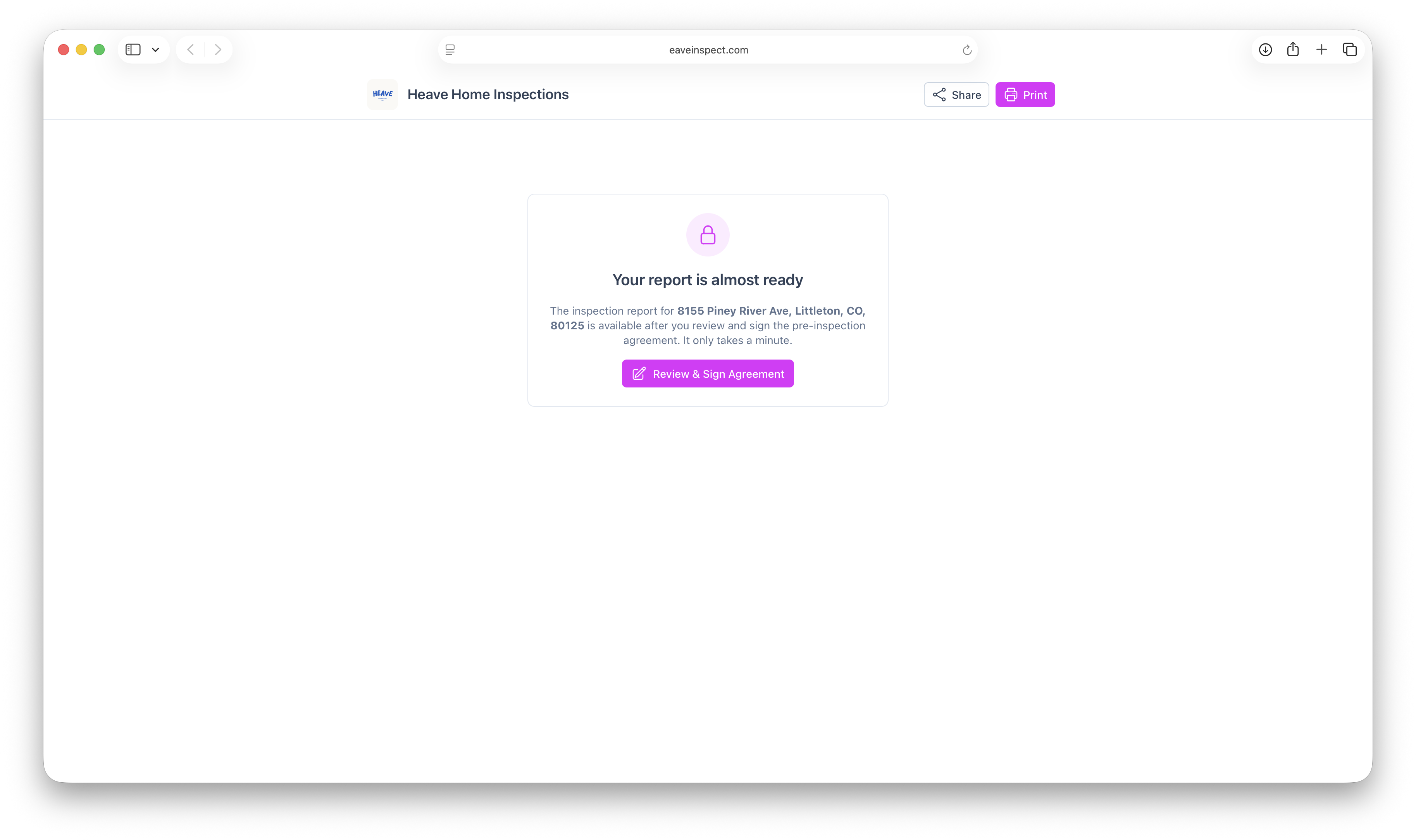
If a client opens the report link before signing, they see a "Your report is almost ready" screen with a Review & Sign Agreement button — not the report. As soon as anyone signs, the report unlocks for everyone.
See Pre-inspection agreements overview for the full picture.