Home care tips
Home-care tips are friendly maintenance reminders that appear on the report to help your clients take care of their new home. The Home Care page works just like the Warnings page — open it from the section sidebar or the command palette.
There are two kinds of tips:
- Triggered tips — generated automatically from your answers, based on rules built into the template.
- Custom tips — ones you add yourself, whether or not they're tied to a form answer.
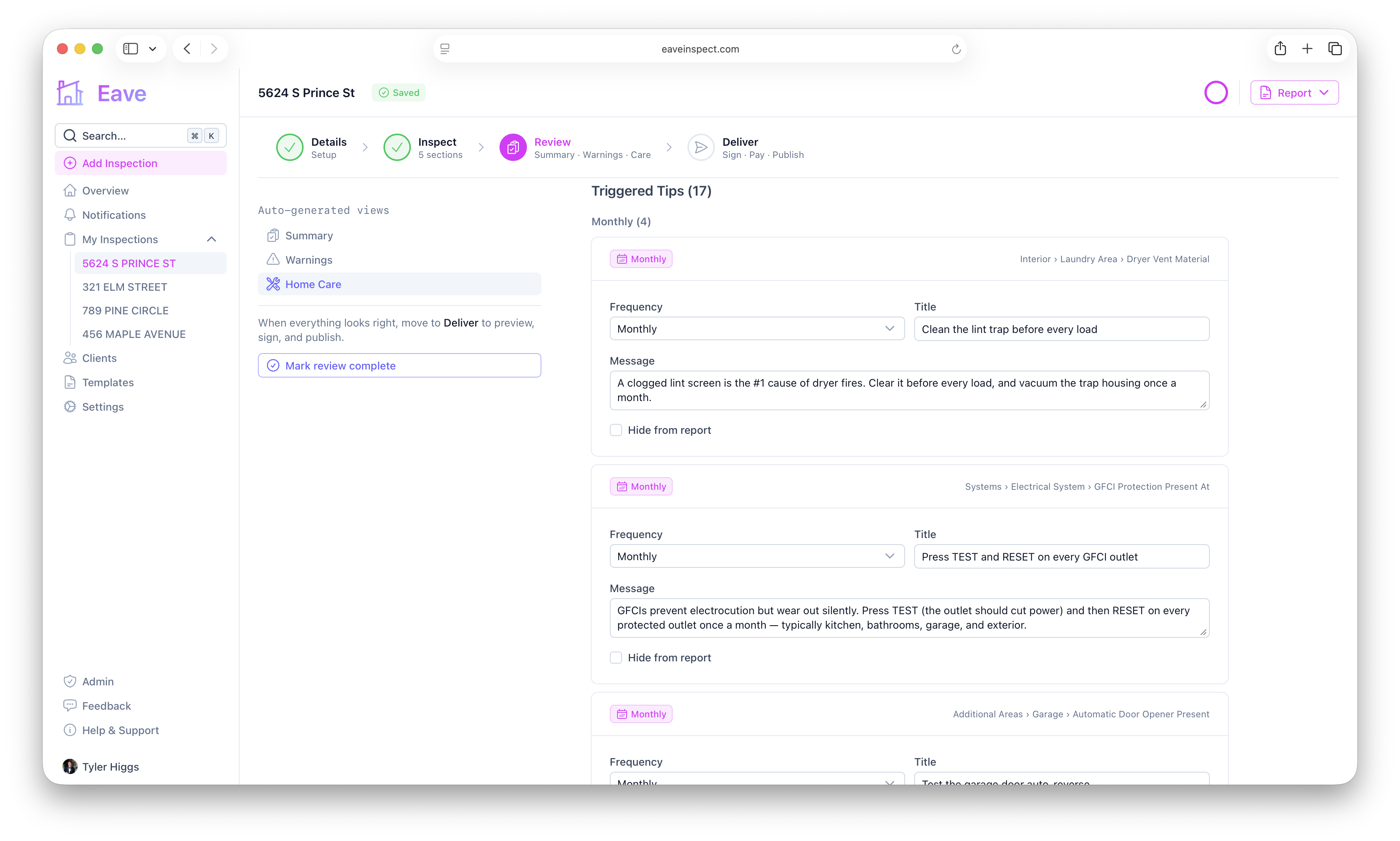
Triggered tips
Tips are grouped by how often the task should be done: Monthly, Quarterly, Bi-Annual, Annual, Seasonal, and As-Needed. Each card has a frequency badge and a breadcrumb link back to the section › subsection › field that triggered it.
For any triggered tip you can adjust:
- Frequency, Title, and Message
- Hide from report — keep the tip out without deleting the rule
Edited tips show a Modified badge and hidden ones show a Hidden badge. Use Reset to defaults to revert.
Adding a custom tip
Click Add Custom Tip, choose a frequency, and write a title (required) and message. Optionally attach it to a section and subsection. Remove a tip with the trash button.
Stale overrides
Like warnings, if a tip's underlying answer or template rule changes, your edits are preserved under Stale Overrides so nothing is lost. Click Remove to discard ones you no longer need.