Importing a template
Already have a template built in another inspection app? You don't have to start over. Eave can import an exported template and use AI to rebuild it as an editable Eave template — sections, subsections, fields, and all. Open Templates from the sidebar, and on the Your Templates tab click Import.
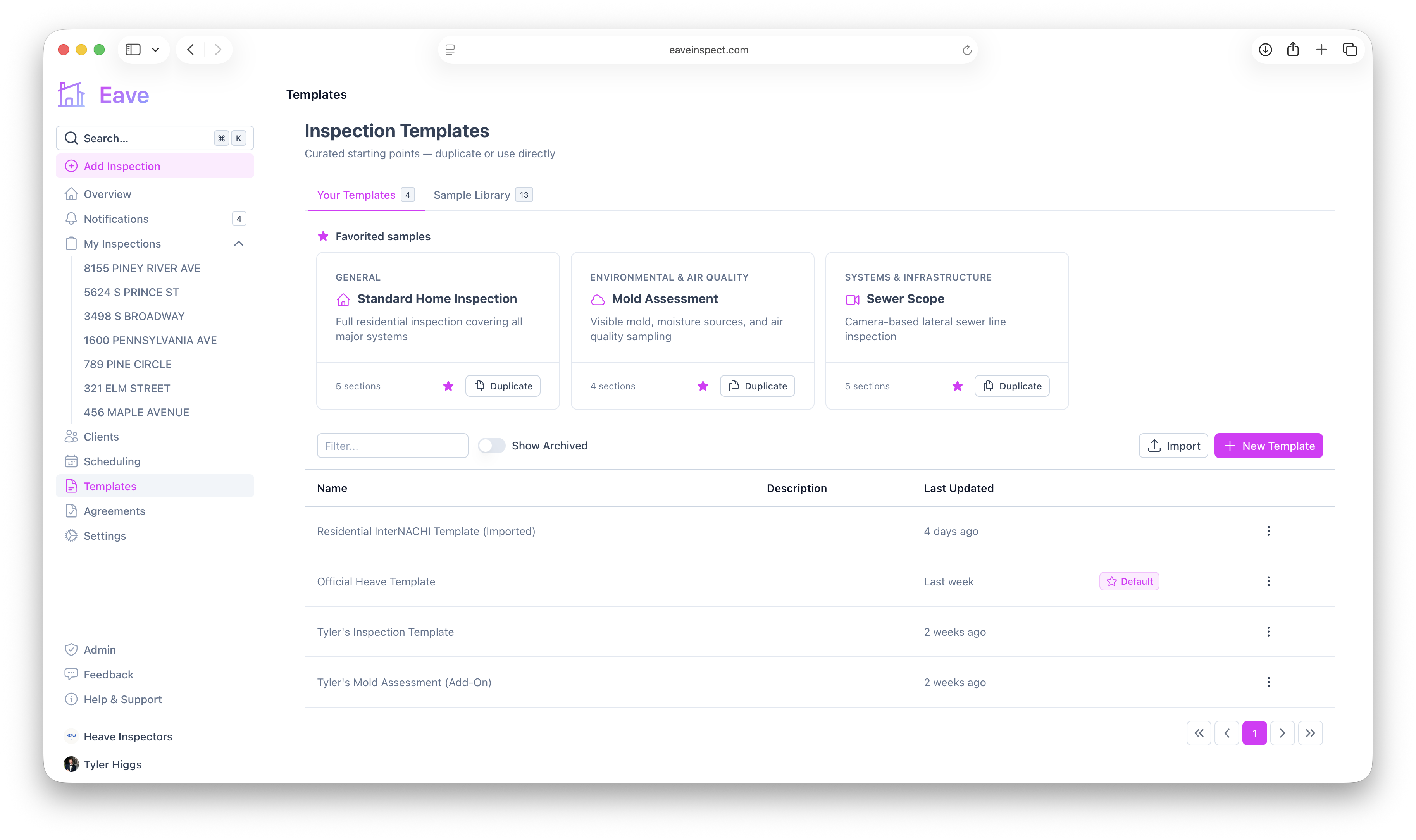
Step 1 — Export from your old software
First, export your template from your previous inspection software. Eave accepts the most common export formats:
- CSV
- Excel (XLS / XLSX)
- Plain text (TXT)
- HTML (HTML / HTM)
Spectora, HomeGauge, and most other inspection tools can export a template or a blank report in one of these formats. Any of them works — the AI reads the structure and content, not the exact layout.
Step 2 — Import into Eave
Click Import to open the import window, then:
- Drop your exported file into the upload area (or click to browse).
- Choose the software it came from — Spectora, HomeGauge, or Other software. This helps the AI interpret the export.
- (Optional) Name the template. Leave it blank to default to the file name.
- Click Import with AI.
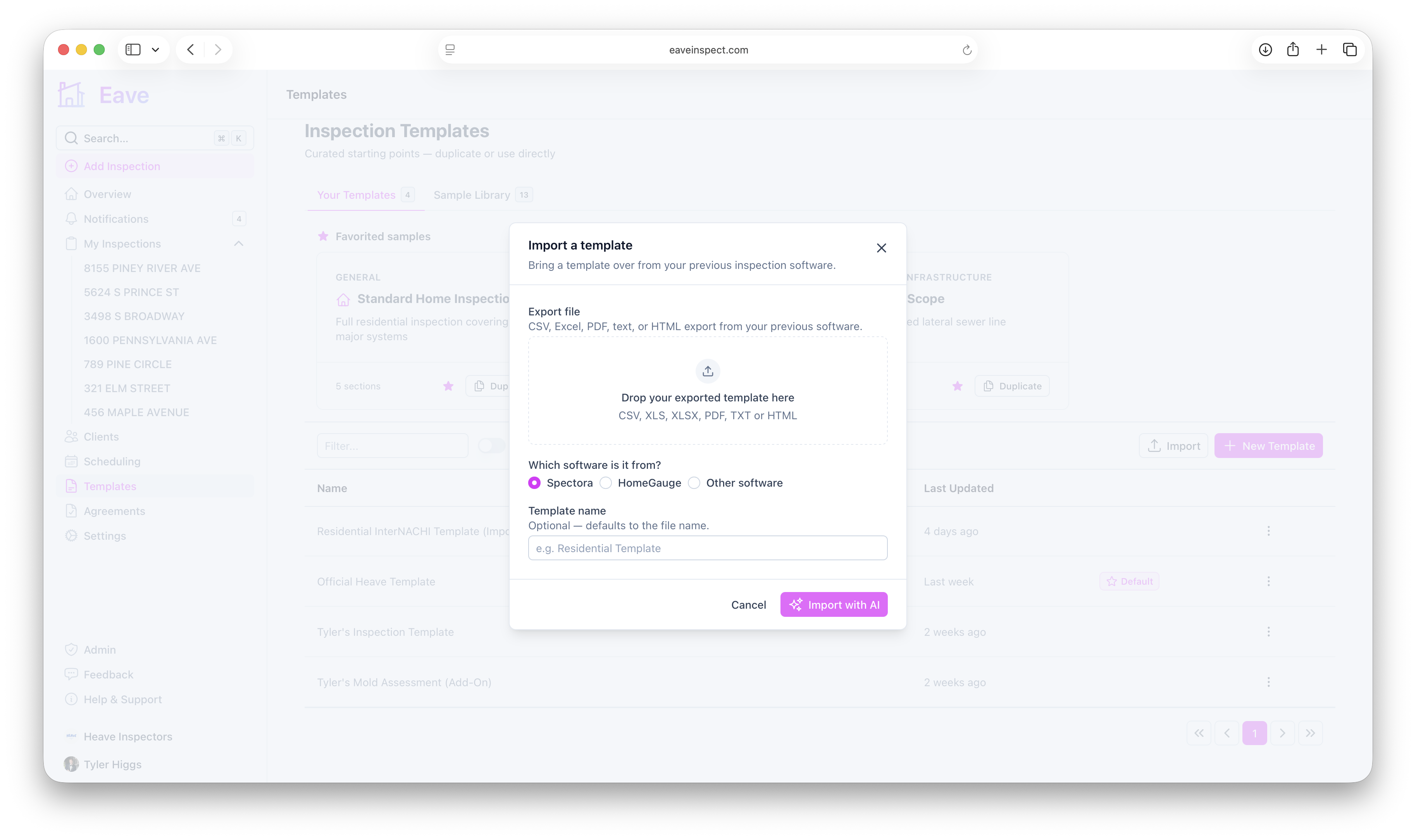
The AI reads your export and builds a matching Eave template.
Step 3 — Review the result
When the import finishes, your new template opens automatically in the template editor. AI is a great head start, but it isn't perfect — review the sections, subsections, and fields and adjust anything it got wrong. Everything autosaves, and existing inspections are never affected. Nothing changes in your real inspections until you actually use the template.
From here you can also add warning triggers and home-care tips, set the template as your default, and share it with your team. See Editing a template for the full editor guide.