Set a public-facing email
Choose the contact email clients see on reports — separate from your login email.
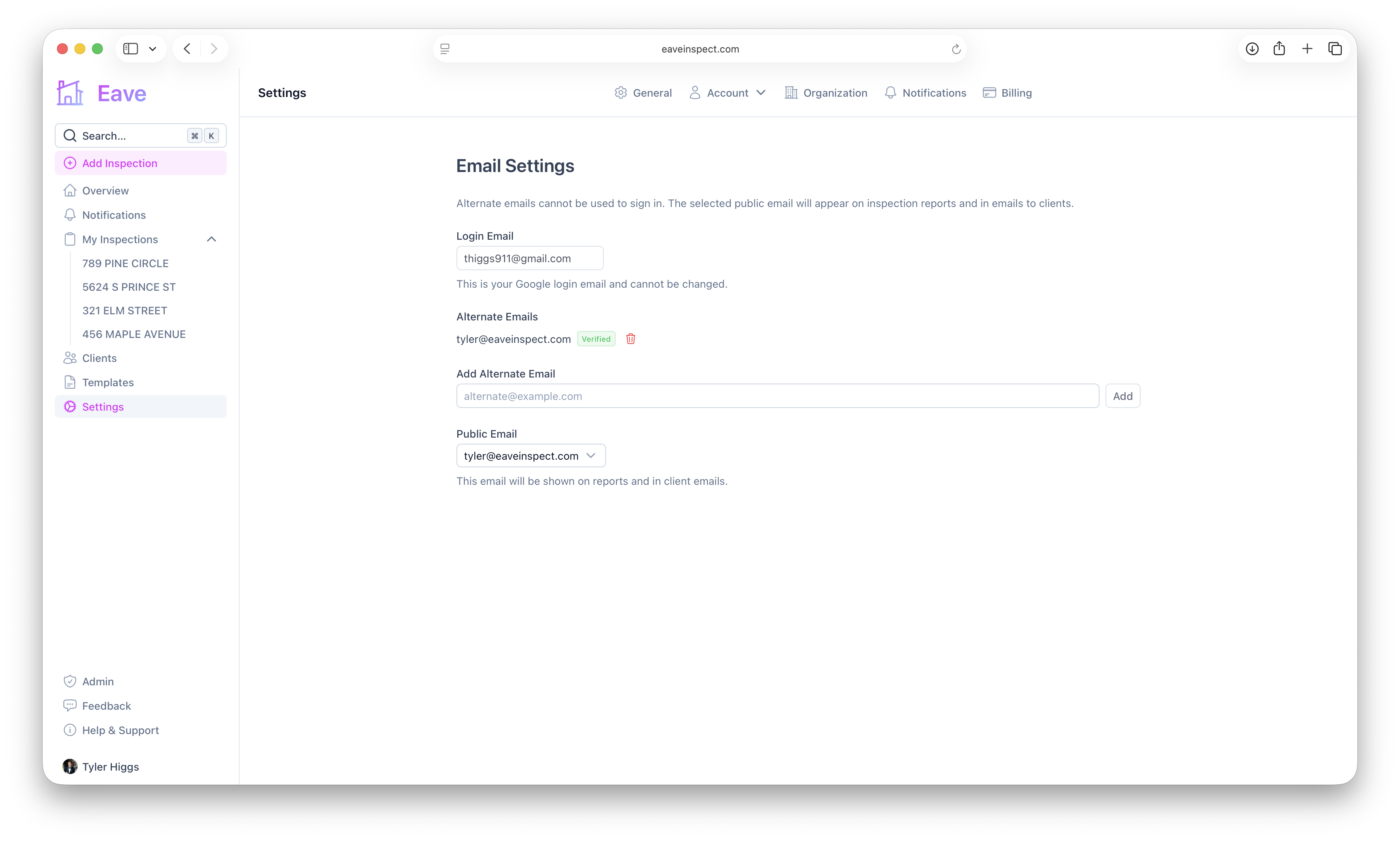
Your login email (from Google for example) signs you in, but it isn't always the address you want clients to see. The public email is the contact address shown on reports and in client emails. Manage both under Settings → Account → Emails.
Login email
Your Login Email is your Google (or other provider) sign-in address. It's shown for reference and can't be changed.
Add an alternate email
To use a different address publicly, add it first:
- Under Add Alternate Email, enter the address (e.g.
inspections@yourcompany.com) and click Add. - Eave sends a verification email to the entered address — open it and click the link to confirm.
- Once verified, the address shows a green Verified badge. Unverified addresses show Pending, with a Resend option.
You can remove any alternate email with the trash button.
Choose your public email
Once you have at least one verified alternate, a Public Email selector appears. Pick the address you want clients to see — it's used on reports and in the emails clients receive when you publish. If you don't set one, your login email is used by default.
Only verified addresses can be selected as your public email. See Publishing & sharing reports for where this address shows up.