Automatic payment emails & reminders
Even with the pay-to-unlock gate off, Eave can email clients a pay link for you — when the inspection is created or when the report is published — and keep reminding them until they pay. You configure this under Settings → Account → Payments → Automatic payment emails.
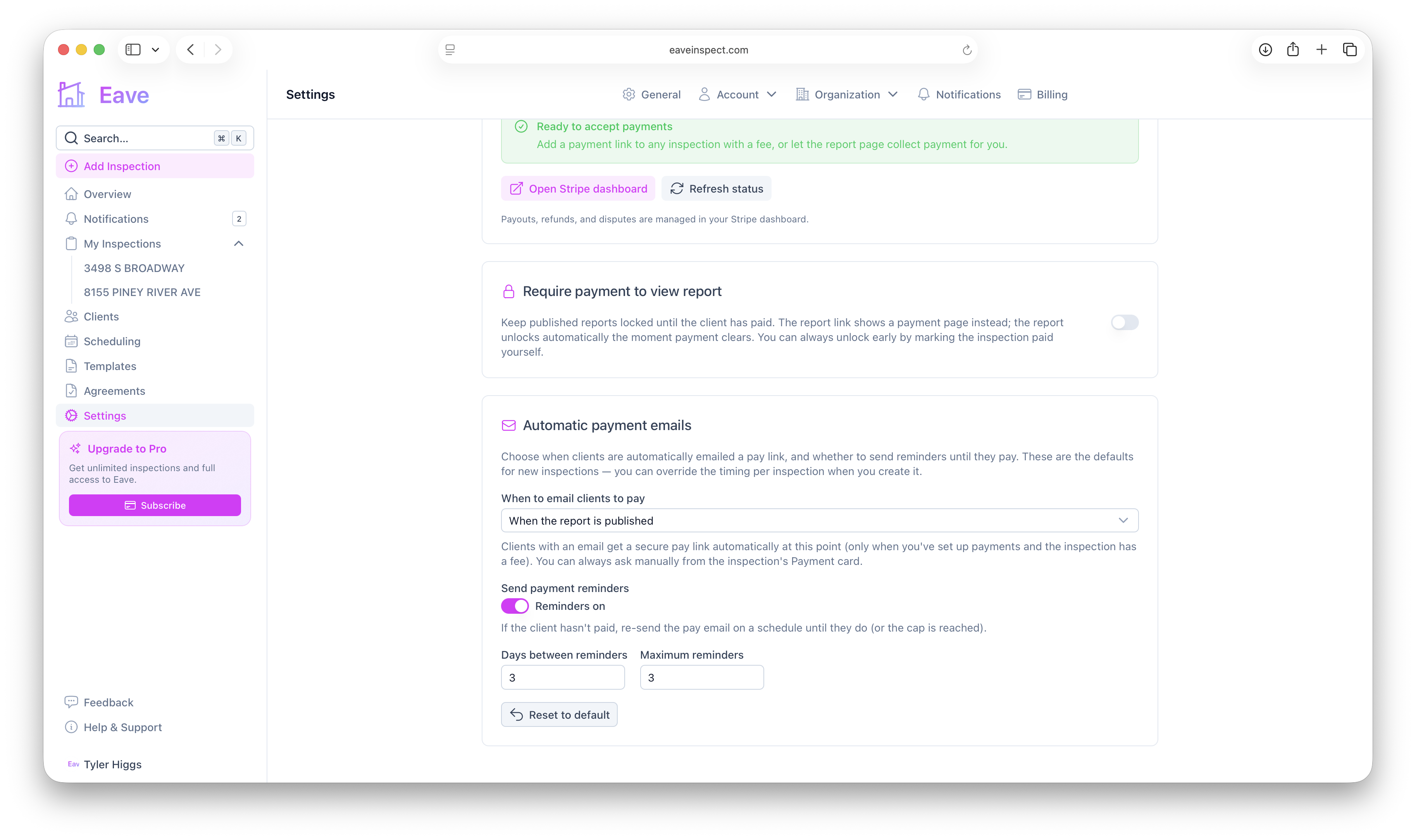
When to email clients to pay
Choose the timing that fits how you work:
- When the report is published (default) — the pay link goes out with the finished report.
- When the inspection is created — ask for payment up front. If the inspection has an agreement, the pay email is held until the client signs, so they're never asked to pay before they've agreed.
- Never — I'll ask manually — no automatic email; you send the link yourself from the Payment card.
Reminders
Turn on payment reminders to automatically re-send the pay email while the inspection is still unpaid. You control:
- Days between reminders — how long to wait before the next nudge.
- Maximum reminders — a cap so clients aren't emailed indefinitely.
Reminders stop as soon as the inspection is paid (or the cap is reached).
Set the timing per inspection
The setting above is your default for new inspections. When you create an inspection, you can override the pay-email timing for that one inspection — handy when a particular job needs payment up front or no automatic ask at all.
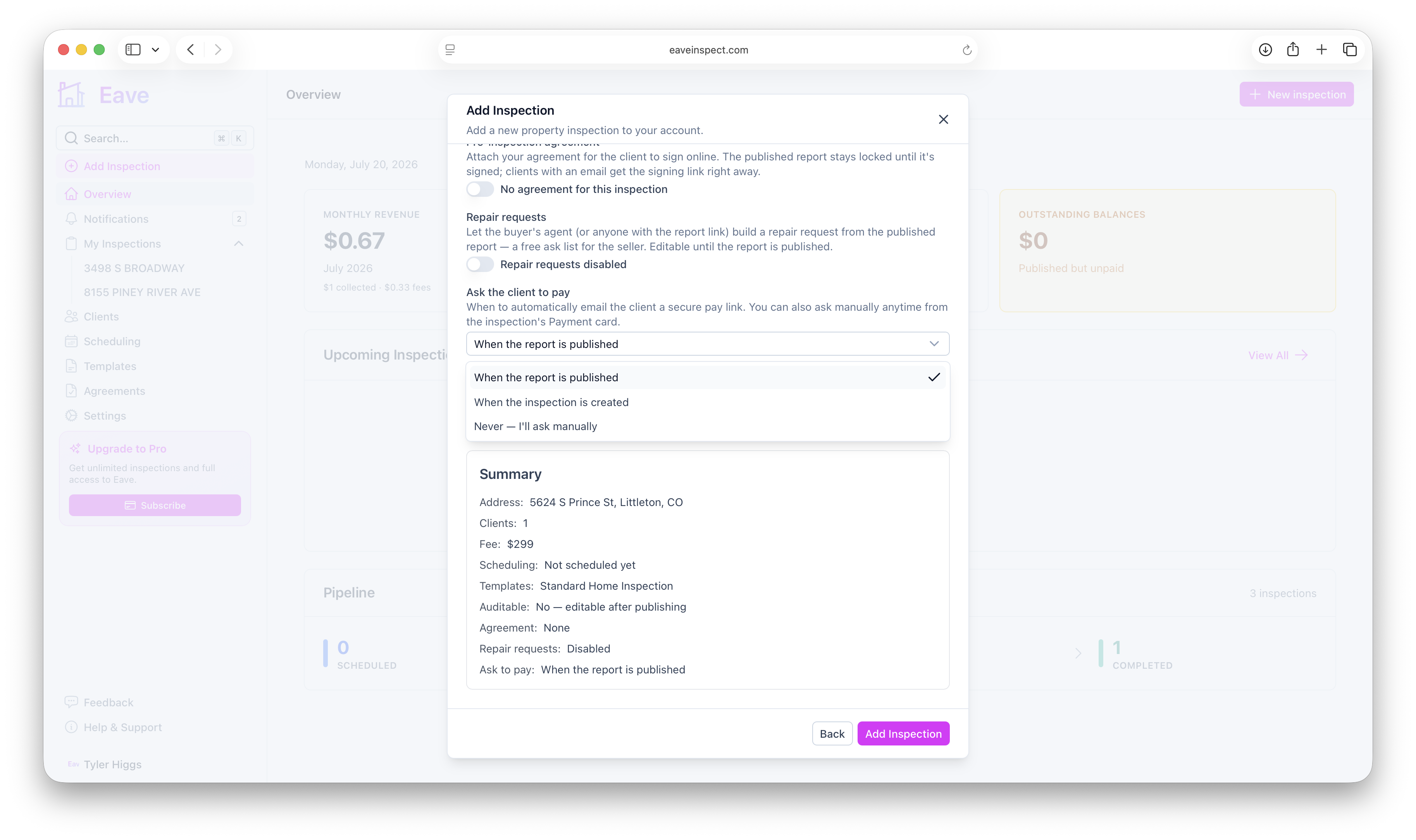
Organization defaults
If you're part of an organization, the org can set a default for these payment-email settings, and each member inherits it until they customize their own. On your personal Payments settings you'll see whether you're using the org default (or the built-in default) with a Customize button to override — and a Reset button to go back to inheriting.
Asking manually anytime
Regardless of these settings, the inspection's Payment card has a Remind client to pay button that re-sends the pay email on demand. See Collecting payment on an inspection.