Describe a subsection, get it built
Building a subsection by hand means adding each field, picking its type, typing out its options, and wiring up any condition or warning it needs — one at a time. For a subsection with ten fields, that's ten small trips through the field editor before you've written a single description.
Generate with AI
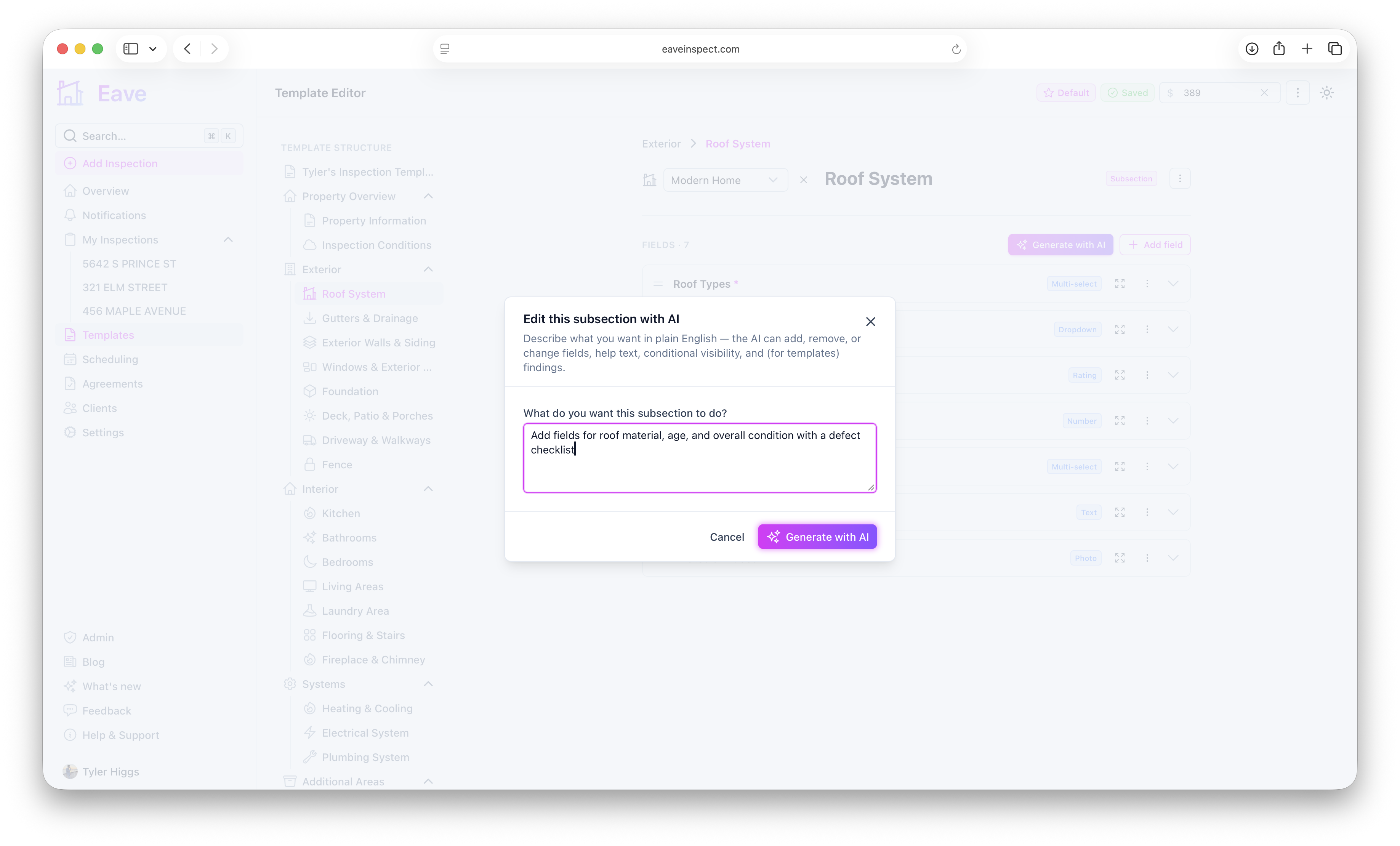
Wherever you edit a subsection — a template's subsection view, or your public request form's Customize questions screen — there's now a Generate with AI button next to Add field.
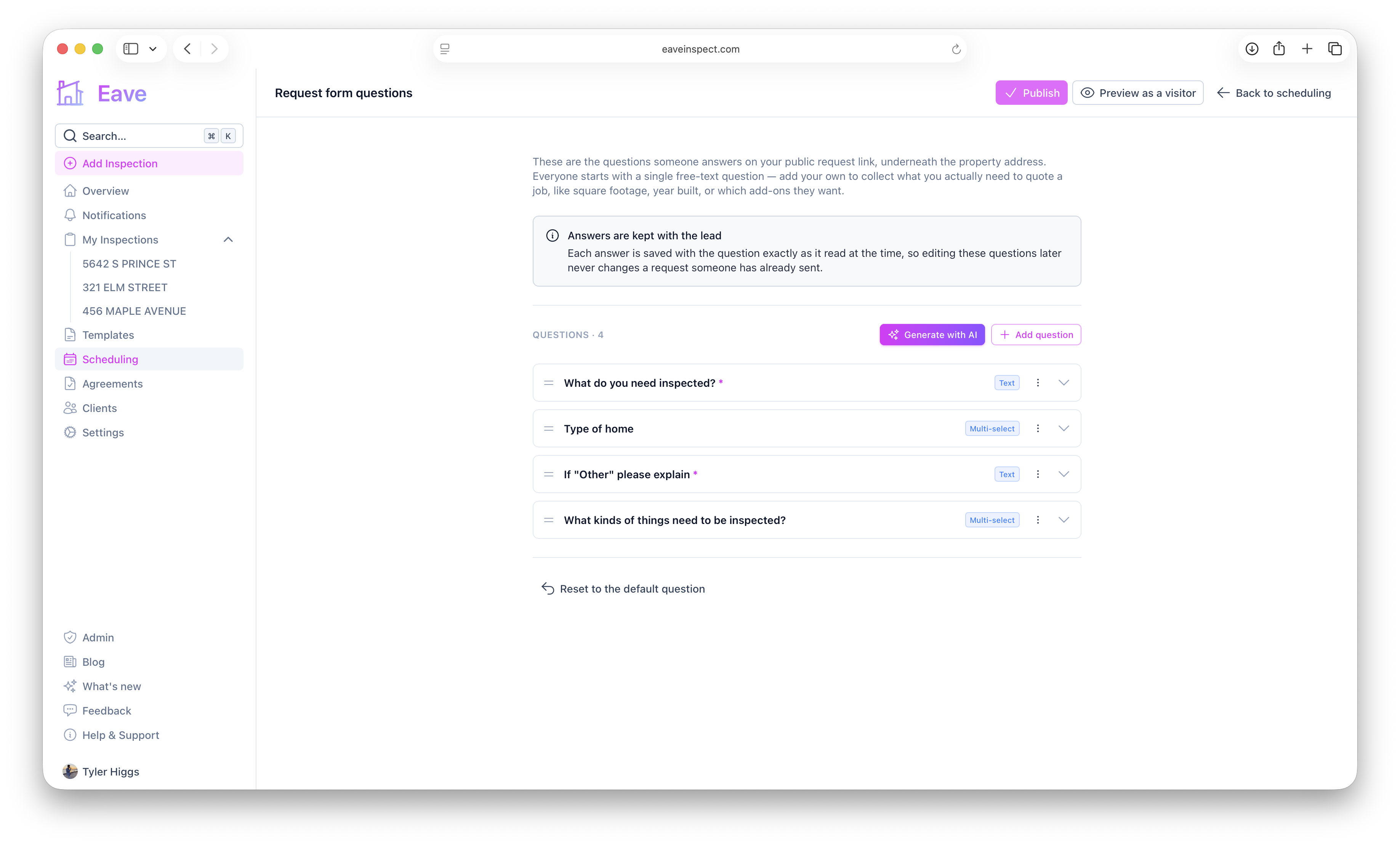
To find the request form's editor: Scheduling → Links → your public request link → Customize questions → Customize. That's the same request form introduced in A link that turns visitors into inspections and reorganized under the Links tab in One page for everything scheduling — see Take inspection requests from a public link for the full walkthrough of that form. For the template side, see Editing a template.
Describe what you want:
Add fields for roof material, age, and overall condition with a defect checklist
and Eave writes the fields, chooses sensible types and options, and — where it applies — wires up conditional visibility, so a follow-up question only appears when an earlier answer calls for it. On a template subsection it can also add warning and home-care triggers to a field, the same triggers you'd set by hand under a field's Warnings section. Your request form doesn't get those, since its questions never generate report findings — the field types it offers are the same shorter list you already see there (no photo or issues fields).
It edits, not replaces
The prompt applies to the subsection you're already looking at, not a blank one. Ask it to add three fields to a subsection that already has ten, and the other ten come back unchanged. You can also ask it to modify what's there — "make roof material required" or "add an Other option to the foundation type dropdown" — the same way you'd describe the change to a person.
What it costs
Every account gets three free subsection generations. After that it's part of a paid plan, alongside AI-drafted summaries and AI template imports.