Ask your AI assistant about your inspections
You already ask your AI assistant about everything else. Now it can answer questions about your inspections too.
Connect in a minute
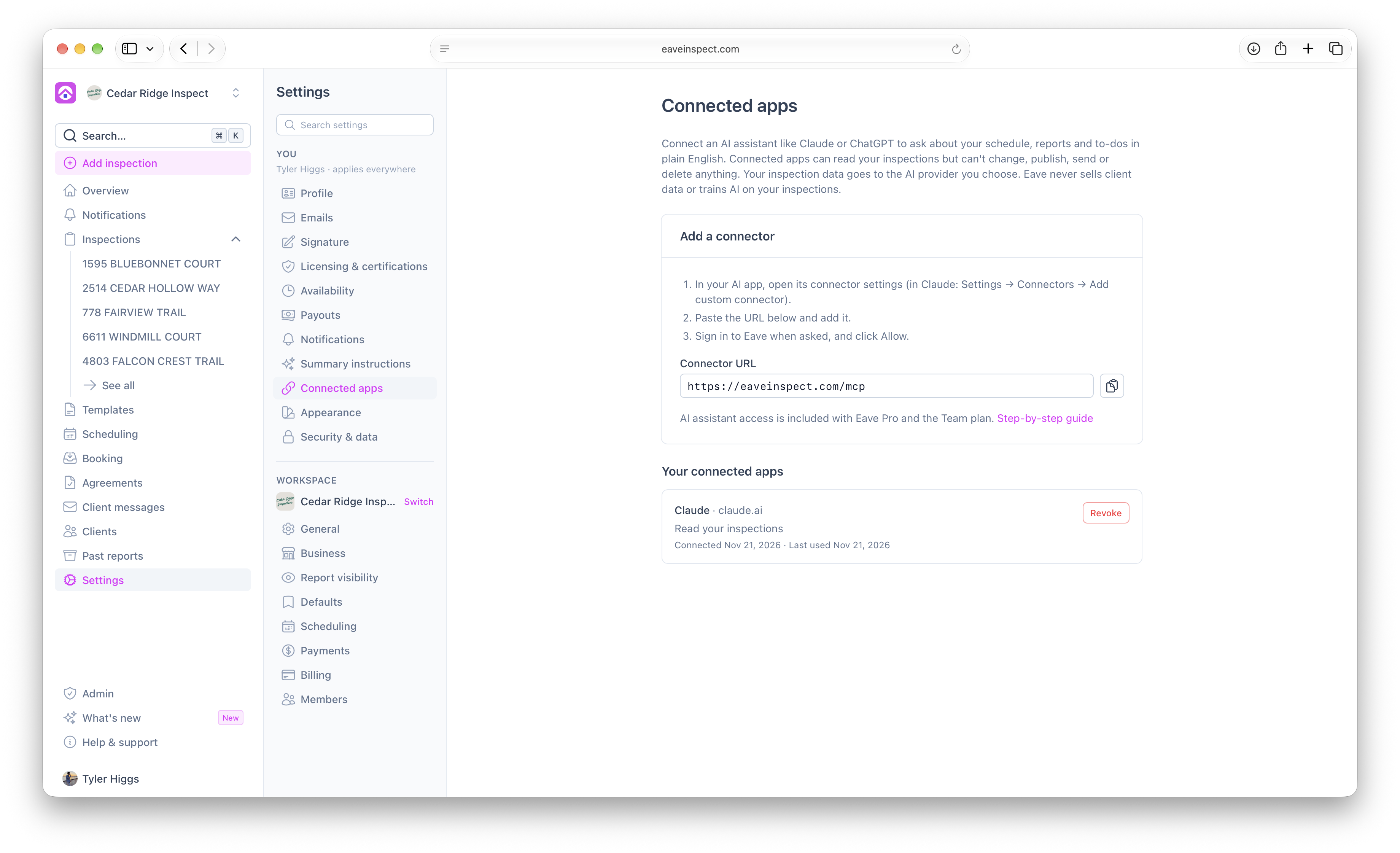
Copy your connector URL from Settings → You → Connected apps, add it as a custom connector in Claude, ChatGPT or another assistant that supports MCP, then sign in to Eave and click Allow. That's the whole setup. There are no API keys to paste.
What you can ask
- "What's on my schedule this week?"
- "Which reports are waiting on clients?"
- "Summarize the findings from the Maple St inspection."
- "Have I inspected 12 Oak Lane before?"
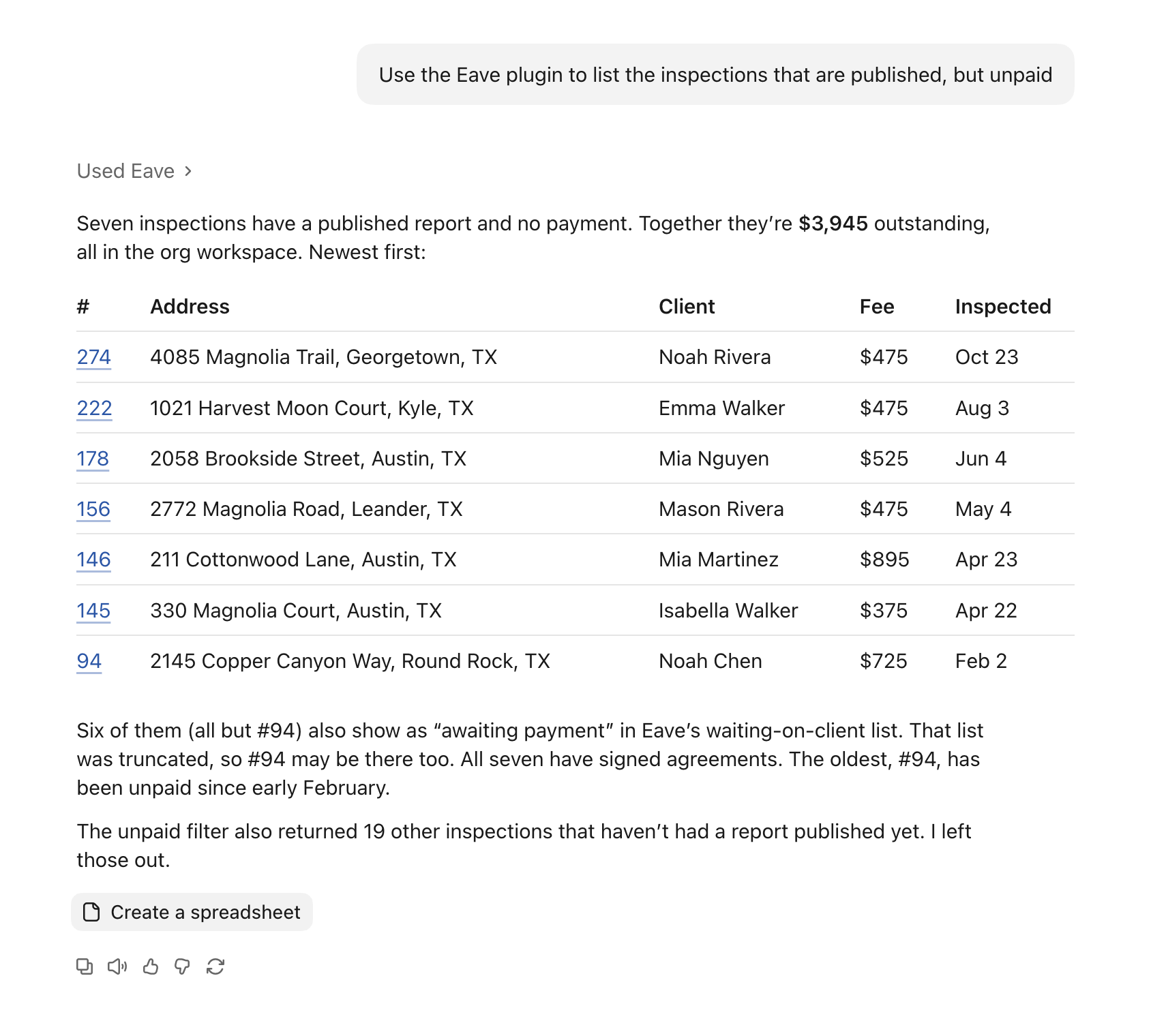
Your assistant can read your inspections, report content (findings, limitations and your final comments), your calendar and pending booking requests, your Needs your attention and Waiting on client lists, and the past reports you've imported. If you're in an organization, it sees what you see in Eave, and you can ask about just your Personal workspace or just the organization.
Read-only to start
Today, a connected assistant can't publish or unpublish a report, email your clients, take payments, change fees, or delete anything. It answers questions. The decisions stay yours.
That's where we're starting, not necessarily where we'll stop. Some inspectors will want an assistant that only reads. Others will want one that can do more, like drafting a template or updating a report. As we add that, it will be opt-in, so nothing changes for a connection unless you choose it. If read-only is all you want, it stays that way.
Your data
When you ask about an inspection, Eave sends that inspection's data to the AI provider you chose. Eave never sells client data or trains AI on your inspections. Every connection is listed under Connected apps, with when it was last used, and Revoke cuts it off immediately.
AI assistant access is included with Eave Pro and the Team plan. The full walkthrough is in Connect Claude or ChatGPT to Eave.
That's all for now. Go ask your assistant what's on tomorrow, and maybe leave the crawlspace questions for the morning coffee. ☕️