Booking gets its own page
Your booking page started life as one card on the Scheduling page. Then it grew questions, colors, a website embed and a QR code, and it was starting to need a room of its own. So it has one.
Booking, in the sidebar
Click Booking to find your public request link, its questions, its appearance and embed code, and the defaults for the booking link you send for each inspection. Availability is still on Scheduling, since both kinds of link offer the same open times, and Booking links straight to it.
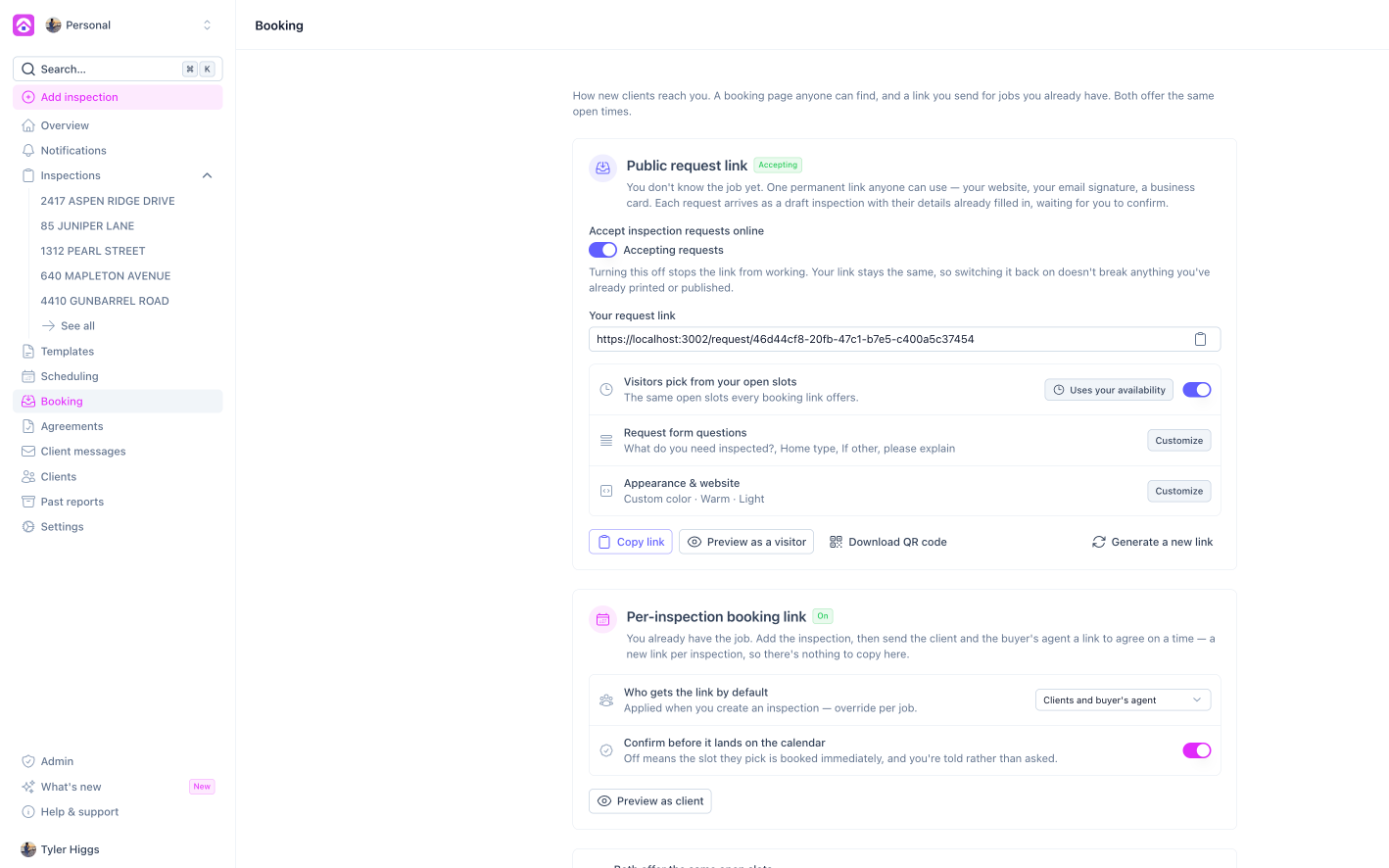
Nothing moved out from under you: the Scheduling page's Links tab shows the same cards and changes the same settings. Old bookmarks redirect to the new pages.
Choose what visitors see
The Appearance & website page has a new What visitors see section. Switch your name, logo, phone, email or website on or off, and the preview updates as you click. Each row links to wherever that detail is edited, so changing your public email is one click away.
Hide your name and the form speaks for your business ("Acme Home Inspections will follow up"). It's handy for a team that would rather not promise a particular inspector before the job's been assigned. Hidden details are left out of the page entirely, not just covered up.
Skip the time picker
Some inspectors would rather talk times through than let strangers pick them. Booking and Appearance & website both have a Let visitors pick a time switch. Turn it off and the form is just the property address, your own questions, and the visitor's contact details. Every request then arrives for you to schedule, and nothing about the time step is mentioned.
See Put your request form on your website for the details.