Settings, sorted by where they apply
Some updates add a room. This one is more of a tidy-up of the hallway closet: everything's still there, it's just on the shelf you'd expect.
You and Workspace
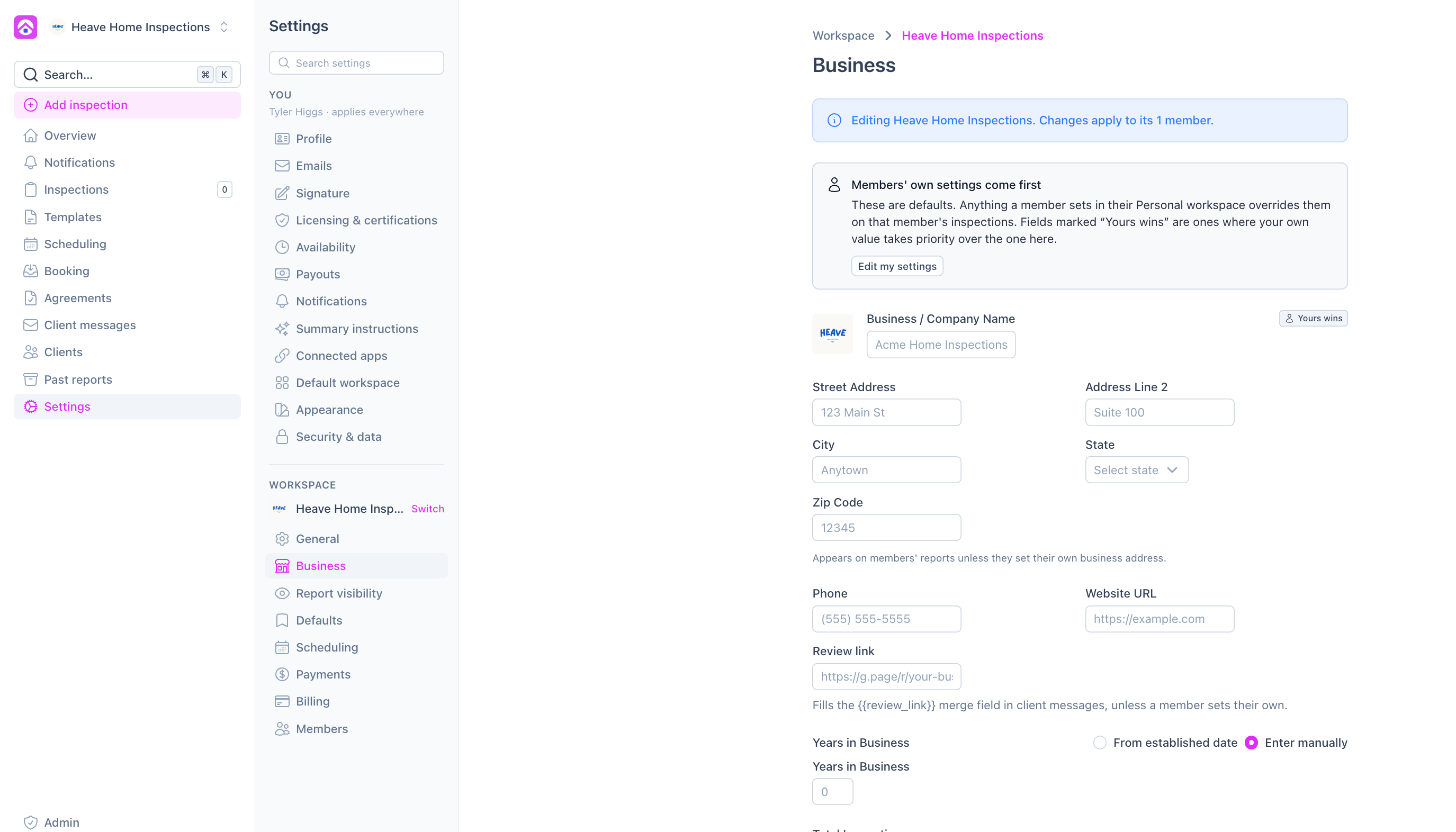
Settings used to be split into Account and Organization, and five pages (Business, Report visibility, Defaults, Scheduling and Payments) showed up in both. Now that you can switch between your Personal workspace and your organization's, that split didn't match how settings actually work. So every setting now lives in one of two places:
- You follows you into every workspace: your profile, emails, signature, licensing & certifications, your availability and calendar sync, your Stripe payouts, notifications, summary instructions, appearance, billing, and security & data.
- Workspace belongs to the workspace you're in: general, business details, report visibility, defaults, scheduling, payments and members. Your Personal workspace is just a workspace of one, so it uses the same pages.
Switch workspaces from the settings menu and every Workspace page follows.
Your settings come first
If you're in an organization, its Workspace pages are defaults for the team. Anything you set in your own Personal workspace overrides them on your own inspections. That includes your business name and logo on reports, your default template, pricing and the pay-to-view setting. Look for Yours wins on the organization's pages and Overrides org on yours, with a one-click way back to the organization's default.
Also new
- A searchable settings menu on desktop, and a dedicated settings screen on mobile with a pinned Save button.
- Licensing and Certifications are now one page.
- Sign out, data export and account deletion moved to Security & data.
- Organizations can turn on Require payment to view report for the whole team.
- Old settings links and bookmarks still work. They take you to the new page.
That's it. Fewer menus to hover over, more time for the crawlspace.