All updates
Scheduling
A price estimator for your website
Visitors get an instant quote from your own fee schedule, add optional services like radon testing, then request the inspection with their answers already filled in.
You asked. Repeatedly. Politely, mostly. Your website can now answer "how much is an inspection?" on its own.
How it works
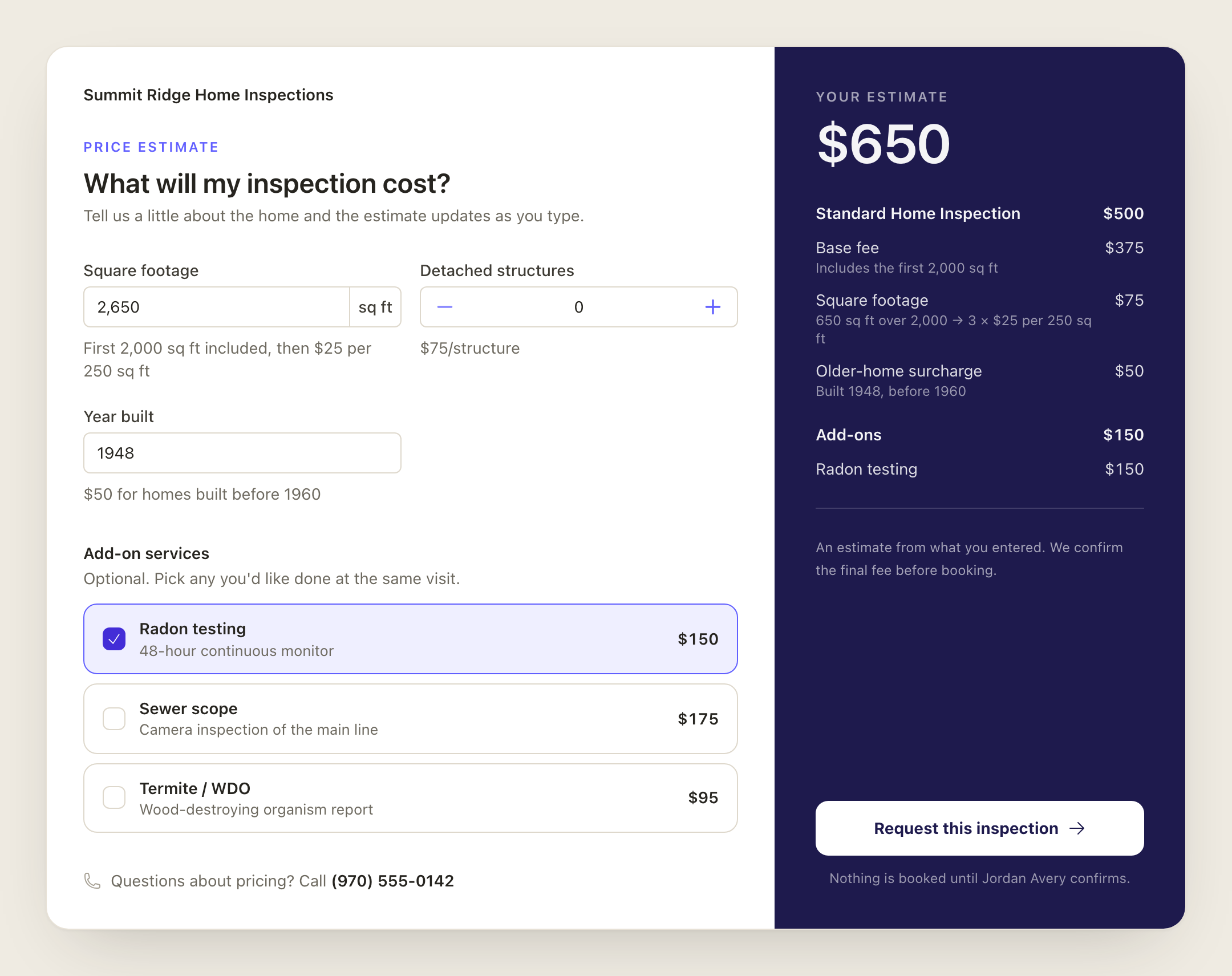
Turn on the price estimator under Booking → Appearance & website. Visitors answer a few questions about the home and watch the estimate update as they type, with every charge listed:
- It asks only about what your pricing charges for: square footage, extra structures, dwelling units, travel distance or the year built. A flat fee shows one price.
- It quotes from your default template and your own fee schedule, the same pricing your inspections use.
- Offer add-on services like radon testing or a sewer scope. Visitors tick what they want, and each add-on joins the estimate.
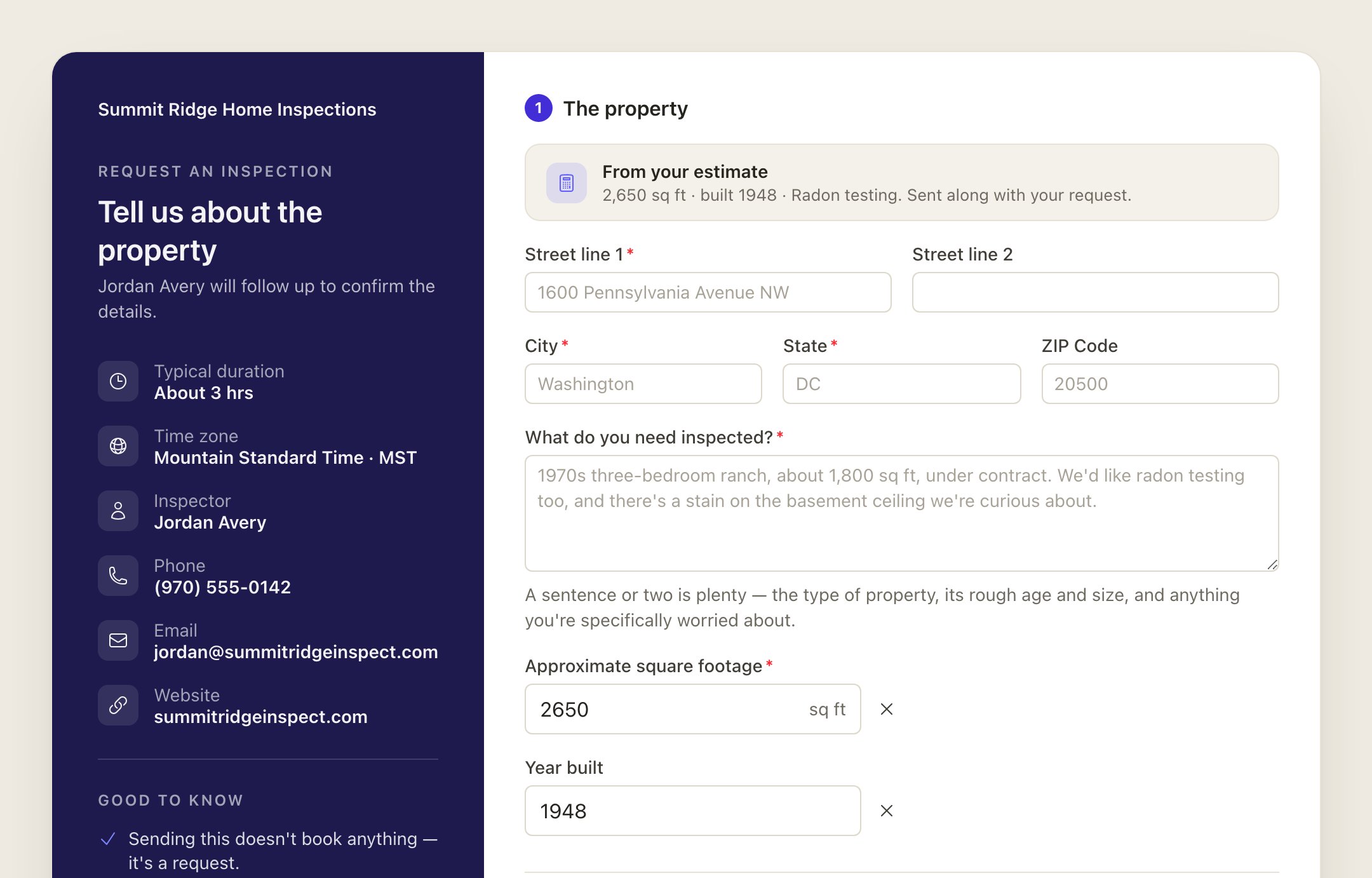
- Request this inspection opens your request form with their answers filled in. The draft that lands in Eave is priced the same way, add-ons included, and the request shows exactly what they were quoted.
On your website
Copy the code from the new Estimator tab and paste it into your pricing page. It wears the same accent color, tone and light or dark mode as your request form, and resizes to fit. When a visitor asks to book, the request form opens right where the estimator was.
Add your own fine print under the total, too.
It's off until you switch it on, so your pricing stays private until you decide otherwise.