Pick a default workspace
Each device remembers the workspace you last used on it, which is lovely right up until you open Eave on a phone that's never met it and find yourself in the wrong one. Now you get to say where it starts.
Where it applies
Set a default workspace and it decides where Eave starts:
- On a browser you haven't used Eave on before.
- In the iPhone app, each time you sign in.
- When a connected AI assistant creates an inspection or template and doesn't say where. It used to stop and ask; now it uses your default, and tells you where the new thing landed.
It only seeds a device that has no choice yet. Switching workspaces on your laptop still doesn't move your phone, and your default doesn't pull anyone out of the workspace they're already in.
Setting it
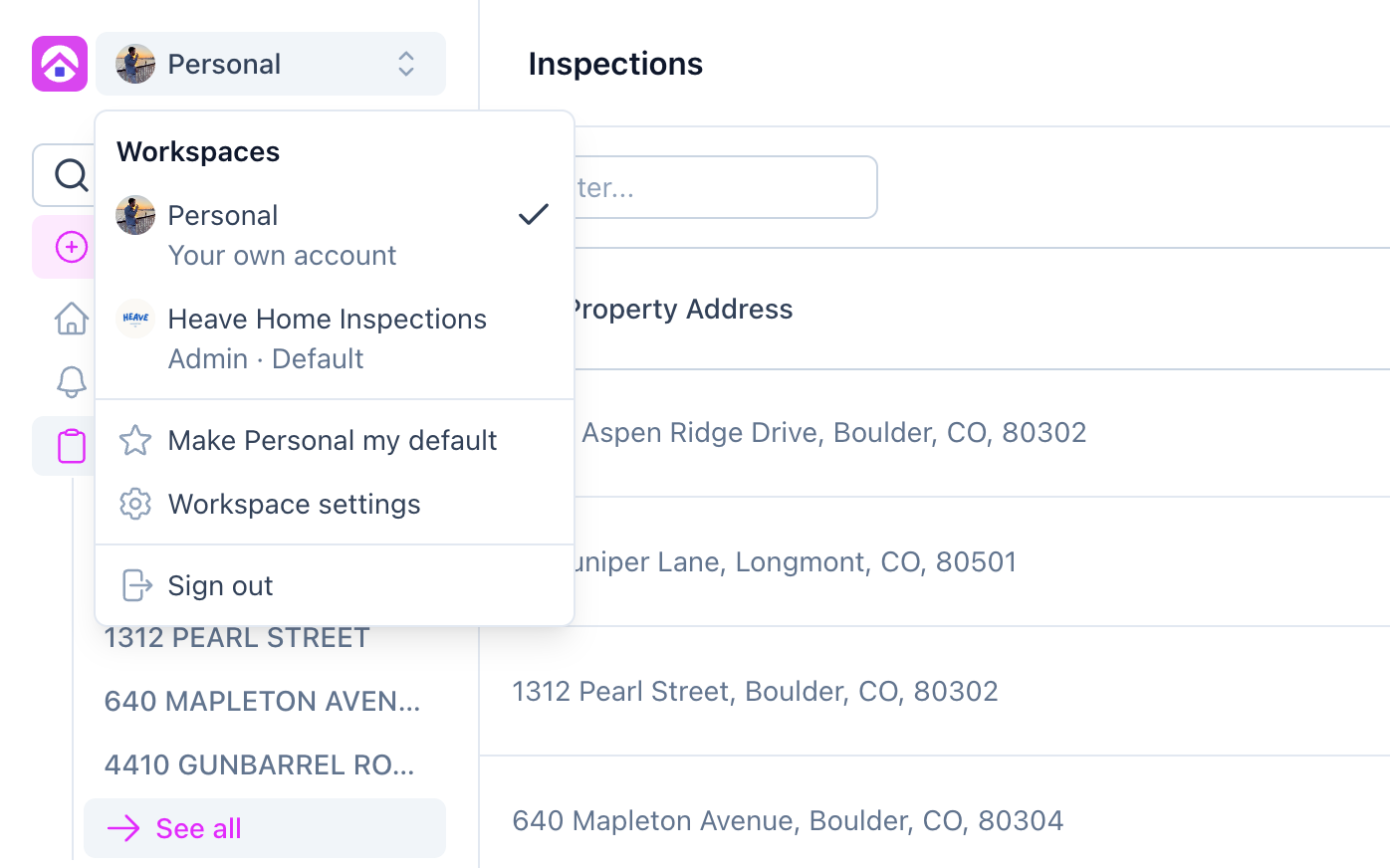
Open the workspace menu at the top of the sidebar and choose Make name my default, or go to Settings → You → Default workspace. Until you choose, members start in their organization, same as before.
Don't have an organization? There's only one place to start, so there's nothing to set. We're told that's the easiest kind of decision.